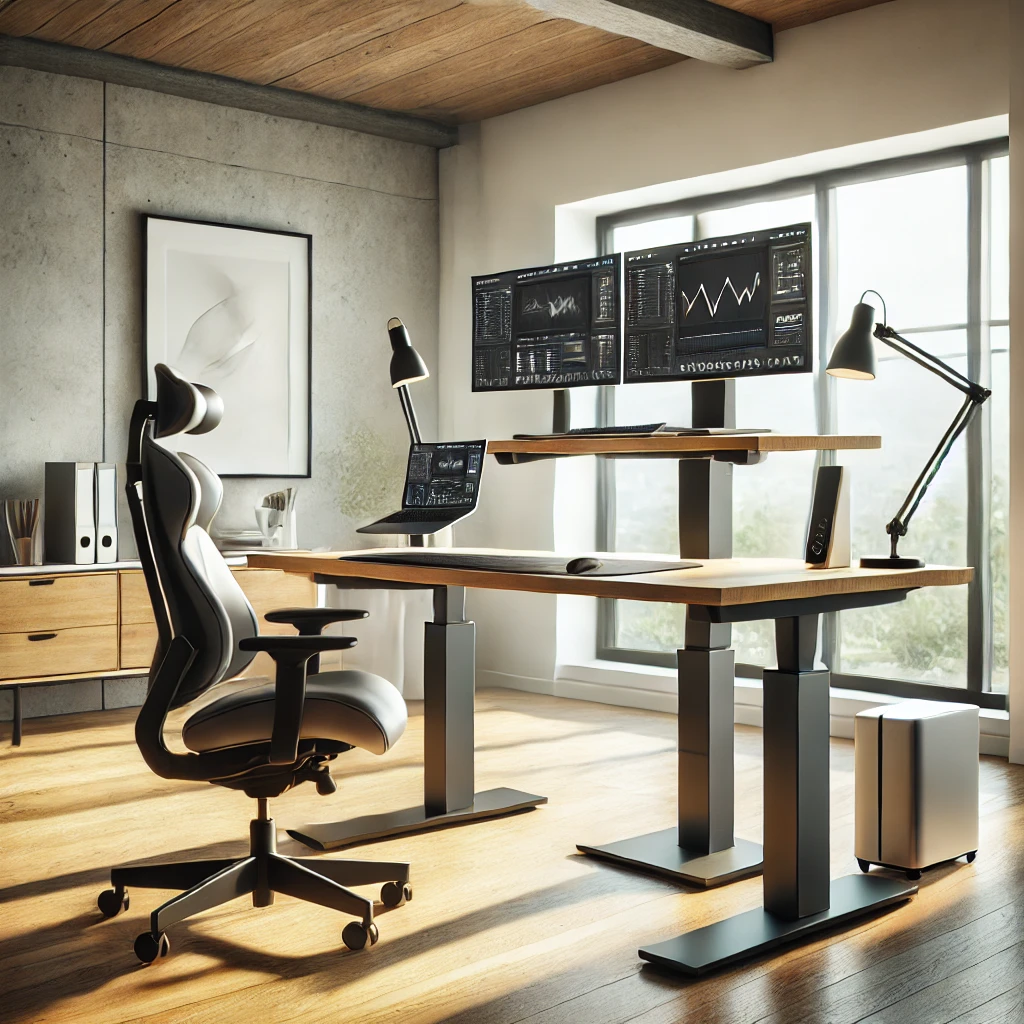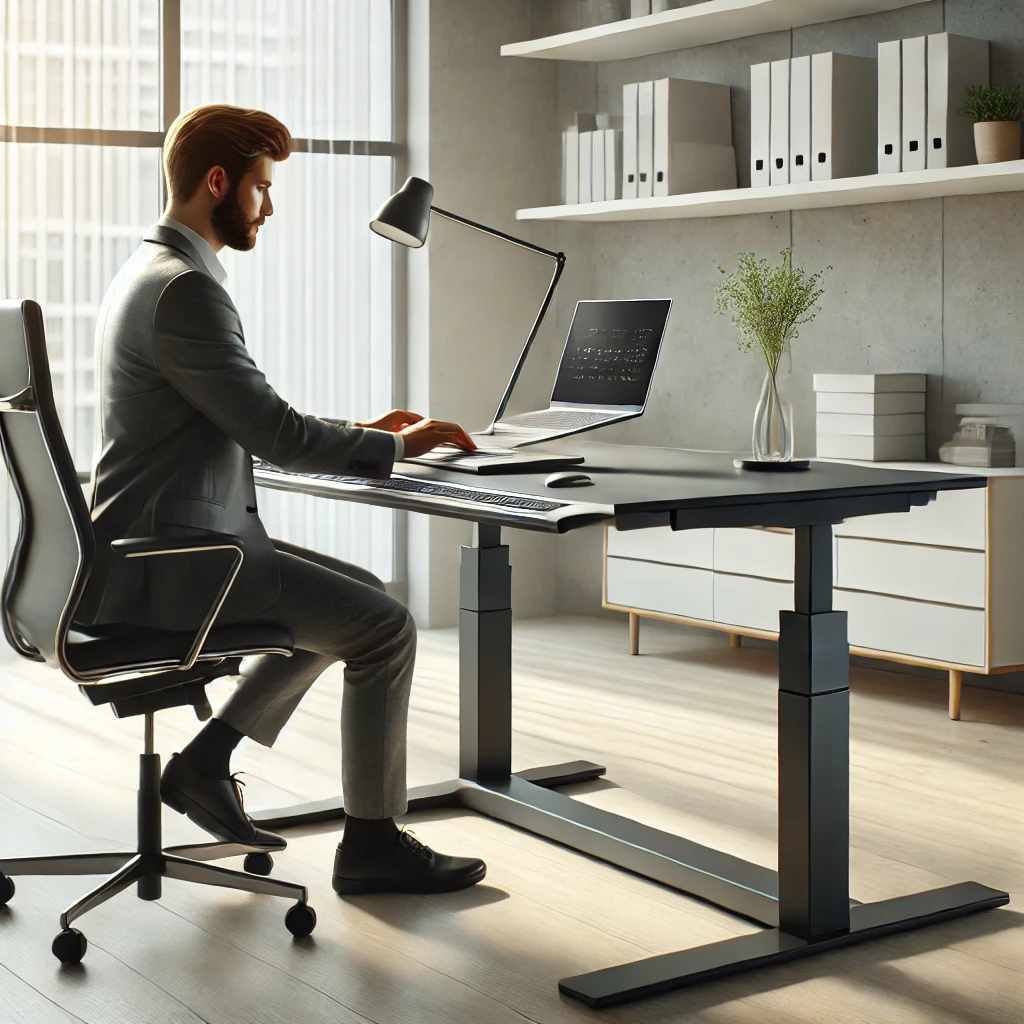
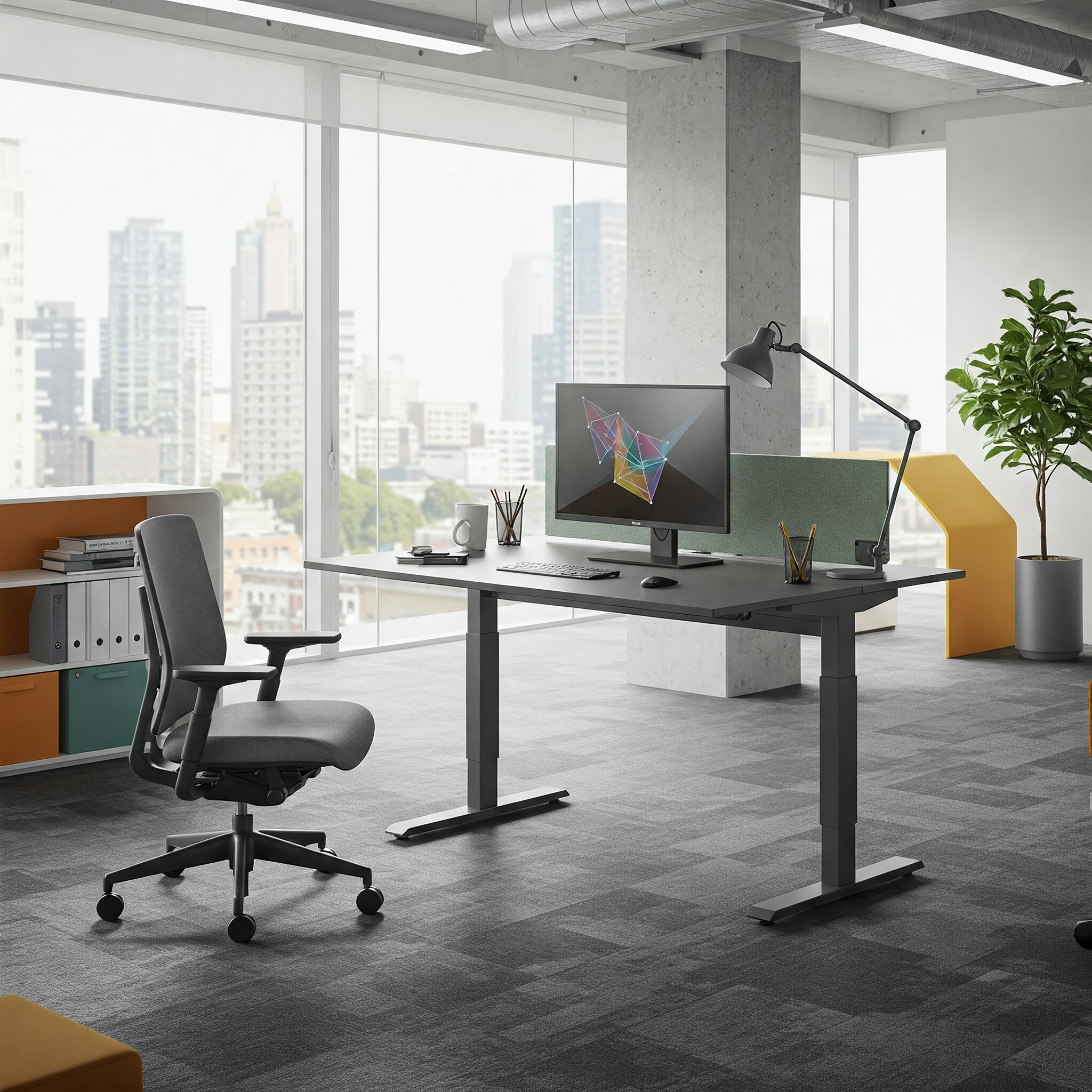
In today’s fast-paced work environment, sitting at a traditional desk for hours on end has become increasingly problematic for our health and productivity. Enter the revolutionary movement desk – an innovative solution designed to keep you active and engaged throughout your workday. Movement desks have skyrocketed in popularity over recent years, and for good reason. These dynamic workstations allow you to alternate between sitting and standing, incorporate subtle movements, and maintain better posture while tackling your daily tasks.
✨Was this helpful? Spread the word! 🚀
As someone who has personally struggled with back pain and decreased focus during long work sessions, I discovered that a movement desk completely transformed my daily routine. The ability to adjust positions throughout the day not only alleviated my physical discomfort but also dramatically improved my concentration and energy levels.
Whether you’re setting up a home office, upgrading your workspace, or simply looking to improve your overall well-being, a movement desk could be the game-changer you’ve been searching for. In this comprehensive guide, we’ll explore everything you need to know about movement desks – from their numerous health benefits to the top models available on the market today.
Comparing Movement Desks with Traditional Alternatives
| Feature | Movement Desk | Traditional Desk | Standing-Only Desk |
|---|---|---|---|
| Position Flexibility | ✅ Multiple positions (sitting, standing, perching) | ❌ Single position (sitting only) | ⚠️ Limited (standing only) |
| Health Benefits | ✅ Reduced back pain, improved circulation, increased calorie burn | ❌ Potential for poor posture and sedentary-related health issues | ✅ Reduced sitting time, but may cause foot fatigue |
| Productivity Impact | ✅ Enhanced focus, reduced afternoon slump, increased energy | ⚠️ Comfort initially, but can lead to fatigue and restlessness | ⚠️ Improved alertness, but potential fatigue over time |
| Customization | ✅ Adjustable heights, programmable settings | ❌ Fixed configuration | ⚠️ Some height adjustment, but limited range |
| Space Requirements | ⚠️ Typically requires more room for movement | ✅ Minimal footprint | ⚠️ Similar to traditional desk |
| Cost | ⚠️ Higher initial investment ($300-$1500+) | ✅ Lower cost ($100-$500) | ⚠️ Moderate to high ($200-$800) |
| Adaptability | ✅ Works for various users and preferences | ❌ Limited adaptability | ❌ Not suitable for all-day use |
What is a Movement Desk?
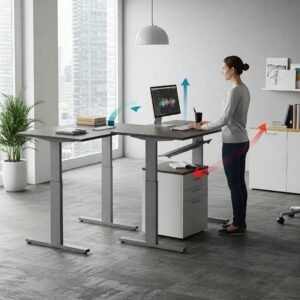
A movement desk is an innovative workspace solution designed to combat the negative effects of prolonged sitting by encouraging regular position changes and natural movement throughout your workday. Unlike traditional static desks, a movement desk enables you to seamlessly transition between sitting, standing, and sometimes even perching positions, helping to reduce the strain on your body while enhancing your productivity and focus.
The concept of a movement desk evolved from standing desks but takes the health benefits several steps further. While standing desks allow you to work on your feet, movement desks incorporate additional features that promote dynamic movement rather than simply replacing one static position (sitting) with another (standing).
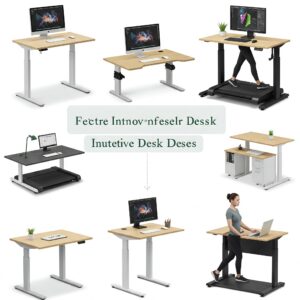
Modern movement desks come in various forms, including:
- Height-adjustable desks that transition between sitting and standing positions
- Treadmill desks that allow you to walk at a slow pace while working
- Bike desks that incorporate cycling movements into your workday
- Balance board-compatible desks that encourage subtle movements while standing
- Perching stations that support a semi-seated position between sitting and standing
The fundamental philosophy behind movement desks is that our bodies are designed for motion, not stasis. By incorporating gentle, regular movement into your workday, you can potentially avoid many of the health issues associated with a sedentary lifestyle while keeping your mind more alert and engaged.
Key Components of a Quality Movement Desk
When exploring movement desk options, several essential components determine the overall quality and functionality of the product:
✅ Height Adjustment Mechanism: The core feature of any movement desk is its ability to change heights smoothly and reliably. Quality desks offer electric motors for effortless transitions, though manual crank systems can be effective and more affordable alternatives.
✅ Stability at Various Heights: A truly effective movement desk remains stable and steady at all height settings, even when fully extended to standing position with equipment on the surface.
✅ Weight Capacity: Premium movement desks support significant weight (typically 200-300 pounds) to accommodate multiple monitors, computers, and other office equipment without compromising stability.
✅ Desktop Size and Material: The working surface should provide adequate space for your specific needs while using materials that are durable, easy to clean, and aesthetically pleasing.
✅ Transition Speed: Electric models should change positions at a reasonable pace – not so slow that it disrupts workflow but not so fast that it risks damaging equipment.
✅ Noise Level: The adjustment mechanism should operate quietly, especially in shared office environments.
✅ Memory Settings: Advanced models offer programmable height presets, allowing you to save your preferred sitting and standing positions for quick transitions.
✅ Cable Management: Effective systems for organizing power cords and cables are essential for maintaining a clean, professional workspace through position changes.
✅ Accessory Compatibility: The ability to add keyboard trays, monitor arms, balance boards, and other ergonomic accessories greatly enhances the desk’s functionality.
Health Benefits of Using a Movement Desk
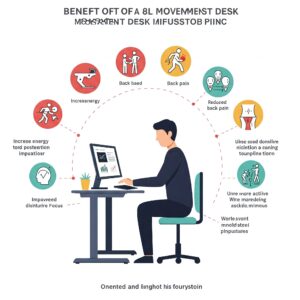
The sedentary nature of modern office work has been linked to numerous health concerns, from chronic back pain to increased risk of cardiovascular disease. Movement desks offer a practical solution to many of these issues by encouraging regular position changes and physical activity throughout the workday.
Physical Health Advantages
Using a movement desk can provide numerous physical benefits that positively impact your overall well-being:
Reduced Back and Neck Pain
Prolonged sitting often leads to poor posture, placing excessive strain on your spine, particularly in the lower back and neck regions. A study published in the Journal of Physical Activity and Health found that participants who used sit-stand desks reported a 54% reduction in neck and back pain after just 4 weeks.
Movement desks allow you to regularly change positions, preventing the muscle fatigue and tension that occurs when maintaining a single posture for extended periods. By alternating between sitting and standing, you engage different muscle groups, giving overworked areas a chance to recover while strengthening those that may be underutilized.
Improved Circulation
When you sit for extended periods, blood flow to your lower extremities decreases significantly. This reduced circulation can lead to swelling, varicose veins, and even increase the risk of deep vein thrombosis in extreme cases.
Standing and moving periodically promotes better blood flow throughout your body. A movement desk makes these position changes convenient and seamless, helping to maintain healthy circulation throughout your workday.
Increased Calorie Burn
While not a replacement for dedicated exercise, using a movement desk can help increase your daily energy expenditure. Research from the Mayo Clinic indicates that standing burns approximately 0.15 more calories per minute than sitting. While this may seem modest, it adds up significantly over time – potentially an extra 30,000 calories burned annually when standing for just 3 hours each workday.
Treadmill and bike desk variations of movement desks increase this calorie burn even further, helping to counteract the metabolic slowdown associated with sedentary work.
Reduced Risk of Chronic Disease
The link between prolonged sitting and increased risk of type 2 diabetes, heart disease, and certain cancers has been established in numerous epidemiological studies. According to research published in the Annals of Internal Medicine, even regular exercise cannot completely offset the negative impacts of sitting for 8+ hours daily.
Movement desks help break up extended periods of inactivity, potentially reducing these long-term health risks by keeping your body active and your metabolism engaged throughout the day.
Mental Health and Cognitive Benefits
The advantages of movement desks extend beyond physical wellbeing to positively impact your mental health and cognitive performance:
Enhanced Focus and Productivity
Many movement desk users report improvements in concentration and mental clarity. This subjective experience is supported by research from the Texas A&M Health Science Center, which found that students using standing desks demonstrated 12% greater engagement in classroom activities compared to those using traditional desks.
The improved blood flow that comes with regular movement delivers more oxygen and nutrients to your brain, potentially enhancing cognitive function and helping you stay alert during demanding mental tasks.
Boosted Energy Levels
The mid-afternoon energy slump is a common complaint among office workers. Shifting positions regularly with a movement desk can help combat this fatigue by increasing blood flow and activating your muscles. Many users report feeling more energized throughout the day when they alternate between sitting and standing.
Improved Mood and Reduced Stress
Physical movement triggers the release of endorphins and other mood-enhancing neurotransmitters. Even the small movements facilitated by a movement desk can contribute to these biochemical mood boosters, potentially helping to reduce workplace stress and improve overall emotional wellbeing.
Creativity Enhancement
Some research suggests that standing and moving can enhance creative thinking. A Stanford University study found that walking increased creative output by an average of 60% compared to sitting. Movement desks that incorporate walking or subtle motion may help tap into this creativity-boosting effect.
Types of Movement Desks
The movement desk category encompasses several distinct designs, each offering unique advantages for different work styles and environments. Understanding the various options will help you select the model that best suits your specific needs.
Electric Height-Adjustable Desks
Electric height-adjustable desks represent the most popular and versatile movement desk option. These models use electric motors to smoothly transition between sitting and standing heights at the touch of a button.
Key Features:
- Powered height adjustment (typically between 24″ and 50″)
- Preset memory settings for preferred heights
- Weight capacities ranging from 150-350+ pounds
- Various desktop sizes and materials
- Optional advanced features like collision detection
- Typically includes a digital controller with height display
Ideal For:
- General office work requiring rapid position changes
- Shared workspaces with multiple users
- Users seeking convenience and precise height adjustments
- Environments where noise concerns are minimal
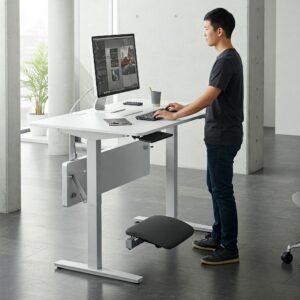
The Flexispot E7 Pro Plus Standing Desk stands out in this category with its impressive 355 lb weight capacity, dual motors for smooth height transitions, and four programmable height presets. The solid steel frame provides exceptional stability even at maximum height.
Manual Height-Adjustable Desks
Manual height-adjustable desks utilize hand cranks rather than electric motors to change positions. While requiring more physical effort to adjust, these models offer certain advantages over their electric counterparts.
Key Features:
- Crank-operated height adjustment
- No electricity required
- Generally more affordable than electric options
- Often lighter and easier to relocate
- Typically quieter operation
- Generally simpler construction with fewer potential failure points
Ideal For:
- Budget-conscious shoppers
- Areas without convenient power access
- Environments where noise is a significant concern
- Users who change positions infrequently
- Locations where the desk may need regular relocation
The IKEA SKARSTA represents an excellent manual option, offering a sturdy crank mechanism that adjusts from 27.5″ to 47″ height range. Its simple design and attractive price point make it accessible for many users seeking movement desk benefits without the higher investment of electric models.
Under-Desk Treadmills and Cycles
For those seeking more active movement throughout the workday, under-desk treadmills and cycle units can transform a standing desk into a full movement workstation.
Key Features (Treadmills):
- Walking speeds typically between 0.5-4 mph
- Whisper-quiet operation for office environments
- Compact design that fits under standard standing desks
- Often includes remote control or smartphone app
- Typically has lower profile than standard treadmills
- Some models fold for storage when not in use
Key Features (Cycles):
- Adjustable resistance levels
- Quiet, smooth pedaling action
- Compact design for under-desk placement
- Often includes digital display for stats
- Some models include resistance bands for upper body movement
- Typically more affordable than treadmill options
Ideal For:
- Users seeking more active movement during work
- Those looking to increase calorie burn during the workday
- People who struggle with standing still for long periods
- Individuals trying to reach daily step or exercise goals
- Those seeking joint-friendly exercise options
The WalkingPad A1 Pro Under Desk Treadmill pairs beautifully with standing desks. Its ultra-thin 2.25″ height fits seamlessly under most standing desks, while the innovative folding design allows for easy storage. The whisper-quiet motor won’t disturb video calls or office mates.
Balance Boards and Active Standing Mats
Active standing accessories like balance boards and ergonomic mats can transform a standard standing desk into a more dynamic movement workspace by encouraging subtle movements while standing.
Key Features:
- Promotes micro-movements and balance engagement
- Helps prevent foot fatigue during standing
- Encourages core muscle activation
- Varies from simple cushioned mats to more dynamic balance boards
- No power required
- Easily storable when not in use
Ideal For:
- Users who want to increase movement without walking or cycling
- Those who prefer standing but experience foot fatigue
- People seeking core engagement during work
- Individuals with limited space for larger movement options
- Users looking for low-cost entry to movement workspace benefits
The Fluidstance Balance Board exemplifies this category with its elegant design and effective function. The subtle rocking motion engages your core muscles and promotes micro-movements that keep your body active without disrupting your focus on work tasks.
Convertible Desktop Units
For those who cannot replace their existing desk, convertible desktop units offer an excellent solution by transforming a standard fixed-height desk into an adjustable movement workstation.
Key Features:
- Sits atop existing desk surface
- Typically adjusts between sitting and standing heights
- Usually more affordable than full-desk replacement
- Often more portable than complete desk solutions
- Generally easier to implement in leased or shared office spaces
- Available in various sizes for different monitor configurations
Ideal For:
- Those unable to replace their current desk (renters, shared offices)
- Budget-conscious users seeking movement benefits
- People wanting to try standing before investing in a full desk
- Users with limited space for a complete desk solution
- Those needing the flexibility to move between workstations
The VIVO Standing Desk Converter represents an excellent option in this category, featuring a spacious work surface that rises vertically to maintain your original desk footprint. Its pneumatic mechanism allows for smooth, tool-free height adjustments between sitting and standing positions.
Comparing Different Movement Desk Models
When evaluating different movement desk models, several key factors should inform your decision. The following comparison highlights how various popular models stack up across important criteria:
| Model | Type | Height Range | Weight Capacity | Desktop Size | Memory Settings | Price Range | Special Features |
|---|---|---|---|---|---|---|---|
| Uplift V2 | Electric | 24.5″-50.1″ | 355 lbs | Multiple options (42″-80″ wide) | 4 presets | $599-$1,299 | 7-year warranty, collision detection |
| Flexispot E7 Pro Plus | Electric | 22.8″-48.4″ | 355 lbs | Multiple options (48″-80″ wide) | 4 presets | $499-$899 | Dual motors, child lock feature |
| IKEA SKARSTA | Manual | 27.5″-47″ | 110 lbs | 47.2″ × 27.5″ | None | $249 | Simple crank mechanism, budget-friendly |
| VIVO Standing Desk Converter | Convertible | 6.5″ adjustment range | 33 lbs | 36″ × 22″ | None | $179 | Works with existing desk, dual-tier design |
| WalkingPad A1 Pro | Treadmill | N/A (works with standing desks) | 220 lbs | N/A | 2 modes | $499 | Folds in half, remote control operation |
| Flexispot Deskcise Pro V9 | Bike Desk | 29.6″-37.2″ | 220 lbs | 20″ × 22.8″ | None | $349 | All-in-one solution, 8 resistance levels |
| Fluidstance Balance Board | Balance Board | N/A (accessory) | 350 lbs | N/A | N/A | $189 | Beautiful design, Made in USA |
| Jarvis Bamboo | Electric | 25.5″-51″ | 350 lbs | Multiple options (48″-78″ wide) | 4 presets | $569-$1,089 | Eco-friendly bamboo surface, 7-year warranty |
| ApexDesk Elite | Electric | 29″-48″ | 225 lbs | 60″ × 30″ or 71″ × 33″ | 4 presets | $599-$699 | One-piece desktop, curved front edge |
| Fully Remi | Electric | 27.2″-46.8″ | 250 lbs | 48″ × 30″ or 60″ × 30″ | 4 presets | $449-$549 | Budget-friendly electric option, 10-year warranty |
💬 Just one click – help others make better buying decisions too!😊
✨ Enhance Your Workspace Today With These Movement Desk Essentials! 🔍
➡ Ready to create the ultimate active workspace? We’ve carefully curated these movement desk accessories to help you maximize comfort, productivity, and wellness. Click on any highlighted product to check current pricing and availability!
Key Features to Look for in a Movement Desk
When shopping for a movement desk, several critical features determine not only the immediate user experience but also long-term satisfaction with your investment. Understanding these key elements will help you make an informed decision that best suits your specific needs.
Height Range and Adjustment Mechanism
The height adjustment capability forms the core functionality of any movement desk. Consider these important aspects:
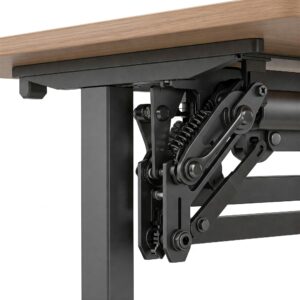
✅ Sufficient Range: Ensure the desk accommodates both your sitting and standing heights comfortably. Most quality desks offer a minimum range from approximately 24″ to 50″, though taller users may require even higher maximum settings.
✅ Adjustment Speed: Electric desks should move at a reasonable pace – typically 1.1-1.5 inches per second. Too slow can disrupt workflow, while extremely fast adjustments may risk disturbing items on your desktop.
✅ Noise Level: The motor or mechanism should operate quietly, particularly in shared workspaces. Quality electric desks produce around 40-50 decibels during adjustment – roughly equivalent to a whispered conversation.
✅ Memory Presets: Programmable height settings allow quick transitions between your preferred positions without manual readjustment each time. Most premium models offer 3-4 programmable height presets.
✅ Transition Smoothness: The desk should move without jerking or sudden starts/stops that could potentially damage electronics or spill beverages.
The Uplift V2 Standing Desk exemplifies exceptional height adjustment features with its impressive 25.5″ range (24.5″-50.1″), whisper-quiet dual motors, and advanced 4-preset memory handset with digital height display.
Stability and Construction Quality
Nothing undermines productivity more quickly than a wobbly desk. Key stability and construction factors include:
✅ Frame Design: T-style legs typically offer better stability than C-style frames, particularly at higher heights. Look for reinforced cross-supports for maximum rigidity.
✅ Weight Capacity: Higher capacity ratings (300+ pounds) generally indicate superior construction quality and stability, even if you don’t plan to place heavy items on your desk.
✅ Material Quality: Steel frames with thick gauge metal provide better durability than aluminum or thinner steel components. Powder-coated finishes resist scratches and wear better than painted surfaces.
✅ Anti-Wobble Mechanisms: Features like adjustable leveling feet, wedge systems, and reinforced joints significantly reduce movement, especially at standing height.
✅ Desktop Material: The work surface should resist warping and provide adequate structural support. Solid wood, high-quality laminate, or bamboo typically offer the best combination of durability and appearance.
The Jarvis Bamboo Standing Desk stands out with its exceptional stability ratings even at maximum height. The heavy-duty steel frame with reinforced cross-supports minimizes wobble, while the 1″ thick solid bamboo desktop provides both aesthetic appeal and structural integrity.
Desktop Size and Configuration
Your desk surface needs to accommodate your specific work requirements:
✅ Adequate Dimensions: Consider both width and depth. Most users find that a minimum of 48″ width and 30″ depth provides comfortable space for dual monitors and essential items.
✅ Shape Options: Beyond standard rectangular designs, consider L-shaped configurations for corner placement or curved front edges for enhanced ergonomic positioning.
✅ Surface Material: Options typically include laminate, solid wood, bamboo, or engineered wood. Each offers different aesthetic, durability, and price points.
✅ Edge Style: Contoured or waterfall edges can reduce pressure points on your arms during typing, while straight edges may better accommodate certain mounting accessories.
✅ Color and Finish: Beyond aesthetics, consider how different finishes hold up to daily use. Textured finishes typically hide minor scratches and fingerprints better than high-gloss surfaces.
The ApexDesk Elite Series offers an excellent desktop experience with its spacious 71″ × 33″ one-piece surface, ergonomic curved front edge, and multiple color options in a durable, medium-density fiberboard with high-pressure laminate finish.
Electronic Features and Controls
Modern movement desks incorporate various electronic features that enhance functionality:
✅ Control Panel Type: Options range from simple up/down buttons to advanced digital displays with height readouts and programmable presets.
✅ Memory Settings: The ability to save preferred heights for quick transitions between sitting, standing, and other positions greatly enhances convenience.
✅ Collision Detection: Advanced desks include sensors that stop movement if the desk encounters an obstacle, preventing damage to equipment or injuries.
✅ Power Management: Some models feature built-in power outlets or USB charging ports, reducing cable clutter and providing convenient device charging.
✅ Smart Integration: Cutting-edge desks offer smartphone app control, usage tracking, and integration with wellness platforms to monitor standing/sitting patterns.
✅ Child Lock Features: For homes with children, the ability to lock adjustment controls prevents accidental operation.
The Flexispot E7 Pro Plus showcases excellent electronic features with its advanced LED touch screen controller, four memory presets, built-in USB charging port, and anti-collision technology for safe operation in busy environments.
Warranty and Customer Support
The warranty reflects the manufacturer’s confidence in their product and provides valuable protection for your investment:
✅ Frame Warranty: Industry leaders typically offer 7-10 years of coverage for the structural components.
✅ Motor Warranty: Electric desk motors should carry at least 5 years of protection against failure.
✅ Electronics Warranty: Controllers and electronic components generally have 2-5 year coverage periods.
✅ Desktop Warranty: Surface materials typically carry 3-5 year warranties against manufacturing defects.
✅ Customer Service Reputation: Beyond the written warranty, research the company’s reputation for honoring claims and providing support. Review sites and forums can provide valuable insights into real-world experiences.
The Uplift Desk V2 leads the market with its comprehensive 10-year all-inclusive warranty covering the frame, motor, electronics, and mechanical components, along with highly-rated customer service support via phone, email, and live chat.
✨ Enhance Your Workspace Today With These Movement Desk Essentials! 🔍
➡ Ready to create the ultimate active workspace? We’ve carefully curated these movement desk accessories to help you maximize comfort, productivity, and wellness. Click on any highlighted product to check current pricing and availability!
How to Set Up Your Movement Desk for Optimal Ergonomics
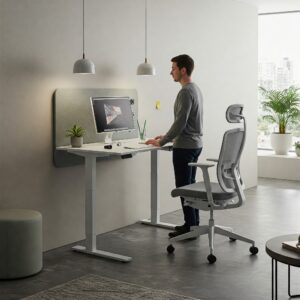
Purchasing a quality movement desk is just the first step toward a healthier work environment. Proper setup and usage are equally important for maximizing benefits and preventing new ergonomic issues.
Finding Your Ideal Heights
Determining the correct sitting and standing heights for your specific body proportions is essential:
Sitting Position Setup
When setting your sitting height:
- Adjust your chair height so your feet rest flat on the floor with knees at approximately 90-100 degrees.
- Position your desk height so your elbows also form roughly 90-degree angles when typing, with your shoulders relaxed.
- Your wrists should remain neutral (not bent up or down) when typing.
- The top of your primary monitor should be at or slightly below eye level, about an arm’s length away.
Standing Position Setup
For proper standing height:
- Stand naturally with arms at your sides.
- Position the desk so your elbows form 90-degree angles when your hands are on the keyboard.
- Maintain the same monitor position as when sitting – top of screen at or slightly below eye level.
- Use an anti-fatigue mat to reduce pressure on your feet and lower back.
- Consider a slight backward tilt of your monitor (about 10-20 degrees) when standing to maintain an optimal viewing angle.
According to ergonomics research from Cornell University, these positioning guidelines can significantly reduce musculoskeletal discomfort and strain during both sitting and standing work.
Accessorizing for Comfort and Health
The right accessories can dramatically enhance your movement desk experience:
Monitor Arms
Adjustable monitor arms are perhaps the most valuable movement desk accessory, allowing you to:
- Maintain proper screen height when transitioning between positions
- Easily adjust viewing distance and angle
- Free up valuable desk space
- Position dual monitors optimally for your specific tasks
The Ergotron LX Desk Mount Monitor Arm offers exceptional flexibility with its 25″ height adjustment range and 360-degree rotation, making it perfect for maintaining ergonomic monitor positioning through position changes.
Keyboard Trays
A quality adjustable keyboard tray helps maintain optimal typing positions by:
- Allowing negative tilt positioning to keep wrists straight
- Providing separate height adjustment from your main desktop
- Incorporating wrist rests for additional support
- Creating a more compact typing zone that reduces reaching
Cable Management Systems
Position changes can wreak havoc on disorganized cables. Effective management solutions include:
- Under-desk cable trays that move with the desktop
- Flexible cable sleeves that accommodate height changes
- Cable chains that expand and contract with desk movement
- Power strips mounted to the underside of the moving portion
Anti-Fatigue Mats and Balance Boards
Standing comfort is significantly enhanced with:
- Cushioned anti-fatigue mats that reduce pressure on feet and joints
- Active standing mats with contoured surfaces that encourage subtle movements
- Balance boards that promote dynamic positioning and core engagement
- Options that can be easily moved or stored when in sitting position
The Topo Comfort Mat by Ergodriven features a calculated terrain design that encourages natural foot movements and positioning changes, effectively reducing fatigue during extended standing periods.
Developing Healthy Movement Patterns
The greatest benefit of a movement desk comes from proper usage patterns:
Gradual Transition
If you’re new to a movement desk:
- Begin with brief standing periods (10-15 minutes) several times per day
- Gradually increase standing duration as your body adapts
- Pay attention to discomfort signals and adjust accordingly
- Set reasonable goals rather than forcing extended standing immediately
Alternating Positions
Research from the University of Waterloo’s Spine Biomechanics Laboratory suggests the following pattern for optimal results:
- Sit for 20-30 minutes
- Stand for 20-30 minutes
- Take a brief walking break (2-5 minutes)
- Repeat throughout the day
This alternating pattern provides the best combination of comfort and health benefits compared to extended periods in any single position.
Movement Reminders
Consider implementing:
- Position change reminders using smartphone apps or computer software
- The “30/30 rule” – 30 minutes sitting followed by 30 minutes standing
- Brief stretching routines during transitions
- Micro-break techniques that incorporate small movements even while maintaining the same basic position
Setting Up Your Movement Desk: Installation and Workspace Integration
Bringing your new movement desk into your workspace requires careful planning and setup to ensure optimal functionality and aesthetic integration.
Pre-Installation Planning
Before assembling your new desk, consider these important preparation steps:
✅ Space Assessment: Measure your available area, accounting for the desk’s footprint plus necessary clearance for movement. Remember to consider the space needed when the desk is at its highest position, especially if there are overhead obstacles like shelves or light fixtures.
✅ Power Source Location: Identify accessible outlets for your desk and equipment. Consider installing a surge protector specifically for your desk system to protect sensitive electronics during height adjustments.
✅ Floor Protection: For hard flooring, consider protective mats to prevent scratches from desk movement. Ensure these mats are large enough to accommodate any under-desk accessories like treadmills or cycles.
✅ Cable Management Planning: Map out how your cables will be routed with the desk in various positions. Consider purchasing cable management solutions specifically designed for height-adjustable desks.
✅ Lighting Considerations: Assess how your current lighting will interact with different desk heights. Adjustable task lighting often works better than fixed overhead lighting with movement desks.
Assembly and Installation Tips
Most movement desks require some assembly. Follow these guidelines for the best results:
✅ Read Instructions Completely: Before beginning assembly, review all instructions to understand the complete process. Many manufacturers now offer helpful video guides in addition to printed instructions.
✅ Enlist Help: Most movement desk frames are heavy. Having a second person assist can prevent injury and make alignment of components much easier.
✅ Assembly Surface: Use a soft, clean surface like a carpet or blanket to prevent scratches on components during assembly.
✅ Cable Management Implementation: Install cable management systems during assembly rather than retrofitting them later, which can be much more challenging.
✅ Weight Distribution: When placing equipment on your assembled desk, distribute weight evenly, with heavier items positioned over the legs rather than the center span when possible.
✅ Initial Programming: For electric models, take time to properly program your memory settings following the manufacturer’s instructions. This one-time setup will enhance your daily experience.
Workspace Integration Strategies
Effectively incorporating your movement desk into your existing workspace requires thoughtful integration:
Matching Aesthetics
✅ Color Coordination: Select desktop finishes and frame colors that complement your existing décor.
✅ Accessory Integration: Choose monitor arms, keyboard trays, and other accessories that share design language with your desk.
✅ Cable Concealment: Implement thorough cable management to maintain visual cleanliness regardless of desk position.
Practical Arrangement
✅ Workflow Consideration: Position your desk to maintain efficient workflows with other workspace elements like printers, filing cabinets, or reference materials.
✅ Traffic Flow: Ensure adequate clearance around the desk for movement, particularly in shared spaces where others may need to pass by.
✅ View Optimization: Consider positioning your desk to take advantage of natural light and pleasant views, which research shows can improve mood and productivity.
Complementary Furniture
✅ Seating Selection: Choose an ergonomic chair that works well with your desk’s sitting height and complements its design.
✅ Storage Solutions: Implement mobile storage units that can adapt to changing desk configurations rather than fixed storage that might become awkward to access when the desk position changes.
✅ Meeting Zone Integration: If your workspace includes a meeting or collaboration area, consider how your movement desk integrates with this zone, especially if you’ll be showing your screen to others.
✨ Enhance Your Workspace Today With These Movement Desk Essentials! 🔍
➡ Ready to create the ultimate active workspace? We’ve carefully curated these movement desk accessories to help you maximize comfort, productivity, and wellness. Click on any highlighted product to check current pricing and availability!
Best Movement Desk Options for Different Needs
With numerous movement desk options available, finding the perfect match for your specific requirements can be challenging. Here, we break down top recommendations based on common user needs:
Best Overall Electric Movement Desk
The Uplift V2 Standing Desk consistently earns top ratings across multiple review platforms for its exceptional combination of stability, features, and customization options.
Key Strengths:
- Industry-leading stability even at maximum height
- Impressive 355 lb weight capacity
- Extensive height range (24.5″-50.1″) accommodating users from 5’0″ to 6’8″
- Advanced digital controller with 4 programmable presets
- Anti-collision technology
- 10-year all-inclusive warranty
- Vast selection of desktop sizes, materials, and shapes
- Extensive accessories ecosystem designed specifically for the system
The Uplift V2’s commercial-grade build quality and attention to detail make it suitable for the most demanding users, while its reasonable price point (starting around $599) delivers excellent value considering its premium features.
Best Budget-Friendly Option
For those with tighter budgets, the Flexispot EC1 Electric Standing Desk delivers the core benefits of a movement desk at a significantly lower price point without sacrificing essential quality.
Key Strengths:
- Remarkably affordable starting price ($299)
- Reliable electric height adjustment
- Decent stability for its price class
- Simple up/down controller (advanced controller with presets available as upgrade)
- Solid 220 lb weight capacity
- 5-year warranty on frame and motor
- Multiple desktop size options
While the EC1 lacks some refinements of premium models (shorter warranty, slightly slower adjustment speed, simpler controller), it provides the fundamental movement desk experience at an accessible price point, making it perfect for first-time users or those with simpler needs.
Best for Home Offices
The Fully Jarvis Bamboo Standing Desk beautifully balances aesthetics, functionality, and sustainability, making it ideal for home environments where appearance matters alongside performance.
Key Strengths:
- Visually striking sustainable bamboo desktop options
- Exceptional stability ratings
- Whisper-quiet motors (under 50 decibels)
- Seven-year warranty
- Programmable OLED touch controller
- Extended height range (25.5″ to 51″) accommodates very tall users
- Grommets for clean cable management
- Wide selection of matching accessories
The Jarvis’s beautiful bamboo desktop options and sleek frame designs blend seamlessly with home décor while providing professional-grade performance. Its excellent stability and quiet operation make it perfect for video calls and focused work in residential settings.
Best for Small Spaces
Those with limited room will appreciate the Flexispot Comhar All-in-One Standing Desk, which packs impressive functionality into a compact footprint.
Key Strengths:
- Compact 48″ × 24″ desktop fits in tight spaces
- Built-in storage drawer preserves workspace
- Integrated USB charging ports (2 Type-A, 1 Type-C)
- Child-lock button prevents accidental operation
- Streamlined design with hidden crossbar
- Four height presets
- All-in-one design simplifies setup and reduces footprint
The Comhar’s thoughtful integration of storage and charging features helps maximize utility in small home offices, studio apartments, or dorm rooms without sacrificing the core benefits of a movement desk.
Best for Heavy-Duty Use
For users with multiple monitors, heavy equipment, or intensive usage patterns, the ApexDesk Elite Series provides industrial-strength performance and exceptional durability.
Key Strengths:
- Massive one-piece desktop (71″ × 33″)
- Dual-motor system for smooth operation under heavy loads
- Enhanced stability with reinforced frame design
- 225 lb weight capacity
- 1.3″/second transition speed
- Extra-thick desktop (1.5″)
- Memory controller with digital height display
- Excellent warranty coverage
The Elite’s robust construction and spacious desktop make it perfect for power users with extensive equipment setups or those requiring a substantial work surface for varied tasks beyond typical computer work.
Best Converter for Existing Desks
The VariDesk Pro Plus 36 stands out among desktop converters for its exceptional stability, intuitive operation, and ready-to-use design.
Key Strengths:
- No assembly required
- Spring-assisted lift mechanism handles up to 35 lbs
- Dual-tier design separates keyboard and monitor surfaces
- 11 height settings
- Remains stable even at maximum height
- Generous 36″ width accommodates dual monitors
- Ships fully assembled – ready to use in minutes
The Pro Plus 36 provides an excellent solution for those who cannot replace their existing desk but still want the benefits of alternating between sitting and standing positions. Its weighted base keeps it firmly in place without requiring clamps or permanent installation.
Maintaining and Troubleshooting Your Movement Desk
Like any mechanical system, movement desks require proper maintenance to ensure long-term reliability. Knowing how to address common issues can also save time and prevent frustration.
Routine Maintenance Tasks
Implementing these simple maintenance procedures can significantly extend your desk’s lifespan:
Regular Cleaning
- Desktop Surface: Clean with appropriate products for your specific material (wood cleaner for solid wood, gentle all-purpose cleaner for laminate, etc.)
- Frame Components: Wipe down with a slightly damp cloth to remove dust and debris that might affect moving parts
- Tracks and Glides: Gently remove accumulated dust from height adjustment tracks using a soft brush or vacuum with brush attachment
- Electronics: Clean control panels with electronic-safe wipes to prevent buildup that could affect button function
Mechanical Checks
- Fastener Tightness: Check and tighten loose bolts and screws every 3-6 months, particularly after periods of frequent adjustment
- Cable Connections: Ensure all power and control cables remain securely connected
- Leveling Feet: Verify desk remains level and adjust feet if necessary, especially after relocating the desk
- Weight Distribution: Periodically reassess weight distribution on the desktop and rebalance if needed
Electric Component Care
- Power Surge Protection: Always use a quality surge protector to shield sensitive control boards from power fluctuations
- Motor Cool-Down: Allow adequate rest periods during multiple consecutive adjustments to prevent motor overheating
- Controller Calibration: Some desks require occasional recalibration of their height controller – consult your manual for specific procedures
- Battery Replacement: For wireless controllers, replace batteries promptly when low to prevent potential memory setting loss
Common Issues and Solutions
Even quality movement desks occasionally develop issues. Here are solutions to the most frequently encountered problems:
Desk Won’t Adjust
If your electric desk stops responding to height commands:
- Check Power Connection: Ensure the desk is properly plugged into a working outlet
- Verify Control Cable: Confirm the controller cable is securely connected to the motor
- Reset Control Unit: Many desks have a reset procedure – typically holding the down button for 10-15 seconds
- Check for Obstructions: Ensure nothing is blocking the desk’s movement path
- Inspect for Overloading: Remove items to reduce weight if approaching capacity limit
- Look for Error Codes: Some advanced desks display error codes that can diagnose specific issues
For manual desks with adjustment difficulties:
- Lubricate Mechanism: Apply silicone-based lubricant to moving parts per manufacturer recommendations
- Check for Debris: Clear any foreign matter from crank mechanisms or tracks
- Inspect for Damage: Look for bent components that might impede normal operation
Uneven Movement or Wobbling
If your desk becomes unstable or moves unevenly:
- Verify Level Placement: Use a bubble level to check desktop levelness and adjust leveling feet
- Tighten All Fasteners: Systematically tighten all frame bolts and screws
- Check Leg Alignment: Ensure telescoping legs are properly aligned and not binding
- Inspect for Damage: Look for bent components, particularly in the frame structure
- Rebalance Weight: Redistribute heavy items, centering them over the frame rather than edges
Unusual Noises During Adjustment
For grinding, squeaking, or clicking sounds:
- Identify the Source: Manually adjust slowly to pinpoint where noise originates
- Lubricate Moving Parts: Apply appropriate lubricant per manufacturer guidelines
- Check for Loose Components: Tighten any loose parts that might be causing rattling
- Inspect Gears or Pulleys: Look for visible wear or damage in mechanical systems
- Assess Motor Performance: Unusual motor sounds may indicate internal issues requiring professional service
When to Contact Professional Support
While many issues can be resolved through simple troubleshooting, certain situations warrant contacting manufacturer support:
- Error Codes: Persistent error codes displayed on digital controllers
- Motor Failure: Complete motor non-response despite verified power
- Structural Damage: Cracks or deformation in load-bearing components
- Electrical Issues: Burning smells, sparking, or other electrical anomalies
- Control Board Malfunction: Erratic behavior like unprompted movement or unresponsive controls
- Warranty Concerns: Any significant issues during warranty period should be documented with the manufacturer
Most reputable movement desk manufacturers offer dedicated support channels including:
- Phone support with technical specialists
- Email ticket systems with troubleshooting guides
- Video chat diagnostics
- Replacement part shipping
- In-warranty service arrangements
✨ Elevate Your Work Experience With These Top Movement Desk Accessories! 🚀
➡ Ready to transform your movement desk into the ultimate productivity station? The right accessories can dramatically enhance your comfort, efficiency, and overall well-being. Here are our top recommendations for movement desk essentials that perfectly complement your new workspace:
- Ergotron LX Desk Mount Monitor Arm – This premium monitor arm provides exceptional flexibility with its 25″ height adjustment range and 360-degree rotation. It’s the perfect companion for your movement desk, ensuring your screen maintains proper ergonomic positioning regardless of whether you’re sitting or standing. Ergotron’s reputation for quality is evident in this sturdy, reliable monitor solution.
- Topo Comfort Mat by Ergodriven – Standing comfort is revolutionized with this ingeniously designed anti-fatigue mat. Unlike flat mats, the Topo’s calculated terrain design encourages natural foot movements and position changes, effectively reducing fatigue during extended standing periods. The durable polyurethane construction provides the perfect balance of cushioning and support.
- FlexiSpot Under Desk Bike V9 – Transform sitting time into active time with this whisper-quiet under-desk cycle. With eight resistance levels and a comfortable seat, the V9 lets you burn calories while answering emails or attending virtual meetings. The digital display tracks time, speed, distance, and calories burned to keep you motivated.
- VIVO Electric Cable Management Raceway – Keep your workspace clean and hazard-free with this expandable cable management system specifically designed for height-adjustable desks. The VIVO raceway expands and contracts with your desk movements, ensuring cables remain neatly organized regardless of desk position.
- HUANUO Dual Monitor Mount – For multi-monitor setups, this dual mount provides independent height, tilt, and swivel adjustments for each screen. The HUANUO mount’s gas spring system allows effortless positioning while its sturdy construction supports monitors up to 32 inches and 17.6 pounds each.
The Future of Movement Desks
As workplace wellness continues to gain priority and technology evolves, the movement desk category is experiencing significant innovation. Understanding these emerging trends can help you make forward-looking decisions when investing in your workspace.
Emerging Technology Trends
Several exciting technological developments are shaping the next generation of movement desks:
Smart Integration
Modern movement desks are increasingly incorporating IoT (Internet of Things) capabilities:
- Health Tracking: Advanced models now integrate with health apps to monitor sitting/standing patterns and suggest optimal position changes based on personal health data.
- Voice Control: Emerging systems allow hands-free height adjustment through voice assistants like Amazon Alexa or Google Assistant.
- Automated Adjustments: Some cutting-edge desks feature preset programs that automatically adjust throughout the day based on user preferences and wellness research.
- Occupancy Sensing: New technology can detect when you’ve been in one position too long and gently remind you to move through subtle desktop movements or smartphone notifications.
The Harvard School of Public Health has conducted research suggesting that these “nudge” technologies significantly increase the likelihood of users actually changing positions regularly, maximizing the health benefits of movement desks.
Sustainability Focus
As environmental concerns grow, manufacturers are responding with more sustainable approaches:
- Eco-Friendly Materials: Increased use of responsibly harvested bamboo, reclaimed wood, and recycled metals
- Energy Efficiency: Lower standby power consumption and more efficient motors
- Carbon-Neutral Manufacturing: Leading brands committing to carbon offset programs
- Longer Lifespans: Enhanced durability and modular design allowing for component replacement rather than complete desk replacement
- Recyclable Components: Designing with end-of-life considerations to reduce landfill impact
Enhanced Ergonomics
Ergonomic innovation continues to refine the movement desk experience:
- Integrated Biofeedback: Sensors that detect poor posture and provide gentle reminders to adjust
- Personalized Settings: AI systems that learn individual patterns and preferences to suggest optimal configurations
- Adaptive Surfaces: Desktops that subtly change shape or texture to encourage different hand and arm positions
- Multi-Zone Adjustment: Separately adjustable sections of the desk for different tasks or equipment
Workplace Integration Trends
Beyond the technology itself, how movement desks fit into broader workplace ecosystems is evolving:
Remote Work Adaptation
The massive shift toward remote and hybrid work models has accelerated movement desk adoption:
- Employer Stipends: More companies offering home office allowances specifically for ergonomic furniture including movement desks
- Corporate Bulk Purchasing: Organizations securing discounted movement desks for distributed teams
- Standardized Ergonomic Policies: Formalized company guidelines recommending or requiring height-adjustable workstations
- Virtual Ergonomic Assessments: Remote evaluations helping employees optimize their home movement desk setup
Collaborative Environments
In shared workspaces, movement desks are evolving to support collaboration:
- Hot-Desking Optimization: Movement desks with rapid adjustment capabilities and user profile storage for shared workstations
- Meeting Integration: Collaborative standing tables that integrate technology for hybrid meetings
- Flexible Configurations: Modular movement desk systems that can be reconfigured for different team sizes and projects
- Space Efficiency: Designs that maintain functionality while minimizing footprint in expensive urban office spaces
Making Future-Proof Choices
When investing in a movement desk today, consider these factors to ensure your purchase remains relevant as technology advances:
✅ Upgrade Compatibility: Choose systems from manufacturers with a history of offering backward-compatible upgrades to existing models
✅ API Availability: Some premium desks offer open APIs allowing integration with future software and smart home systems
✅ Modular Construction: Select desks with easily replaceable components rather than fully integrated systems that require complete replacement if one element fails
✅ Company Longevity: Research the manufacturer’s stability and commitment to ongoing support and parts availability
✅ Standard Connections: Prefer desks using standard power and data connections rather than proprietary systems that may become obsolete
✨ Enhance Your Workspace Today With These Movement Desk Essentials! 🔍
➡ Ready to create the ultimate active workspace? We’ve carefully curated these movement desk accessories to help you maximize comfort, productivity, and wellness. Click on any highlighted product to check current pricing and availability!
Conclusion
The movement desk represents far more than just another piece of office furniture – it’s a fundamental shift in how we approach our relationship with work and wellness. Throughout this guide, we’ve explored the numerous benefits these innovative workstations offer, from tangible health improvements to enhanced productivity and focus.
The evidence is clear: our bodies aren’t designed for prolonged static positioning, regardless of whether we’re sitting or standing. Movement desks provide a practical solution to this modern challenge by facilitating regular position changes and subtle movements throughout the workday, potentially reducing the negative impacts of sedentary work patterns.
When selecting your ideal movement desk, remember that the best choice balances your specific needs, workspace constraints, and budget considerations. While premium models offer enhanced stability and features, even more affordable options provide the core benefits of position flexibility. The key factors of height range, stability, adjustment mechanism, and desktop quality should guide your decision-making process.
Beyond the desk itself, thoughtful integration of ergonomic accessories and developing healthy usage habits will maximize your investment. Consider your movement desk as the foundation of a comprehensive approach to workspace wellness rather than a standalone solution.
As technology continues to evolve, movement desks will likely become even more intuitive, adaptive, and integrated with our broader health monitoring systems. The future workplace – whether in corporate offices or home environments – will increasingly prioritize movement and position flexibility as essential elements of productive, healthy work environments.
By embracing the movement desk concept today, you’re not just making a furniture purchase; you’re investing in your long-term health, comfort, and productivity. Your body and mind will thank you for the opportunity to work in alignment with, rather than in opposition to, your natural physiological needs.
FAQs About Movement Desks
❓ How much does a quality movement desk typically cost?
✅ Quality movement desks range from $300-$1500+ depending on features and construction. Basic electric models start around $300-$400, mid-range options with better stability and features fall between $500-$800, while premium models with advanced features, superior stability, and extended warranties typically cost $800-$1500. Manual crank versions are generally $100-$200 less expensive than their electric counterparts...
❓ Are movement desks worth the investment for home offices?
✅ Yes, movement desks offer substantial value for home offices by improving health, productivity, and workspace versatility. Users report reduced back pain, increased energy levels, and better focus when alternating between sitting and standing. The ability to change positions throughout the day helps combat the negative effects of prolonged sitting, which is particularly valuable when working from home where movement might be more limited...
❓ What's the ideal ratio of sitting to standing time with a movement desk?
✅ Ergonomics experts recommend a 1:1 to 3:1 sitting-to-standing ratio, with position changes every 30-60 minutes. Most users find starting with 30 minutes standing per 1-2 hours sitting works well, gradually increasing standing time as their body adapts. The key is regular position changes rather than extended periods in either position. Some movement desk manufacturers offer apps that can remind you when to switch positions...
❓ Can I use a regular office chair with a movement desk?
✅ Yes, any quality office chair works with a movement desk when in sitting position. However, ergonomic chairs with highly adjustable features (seat height, armrest height, lumbar support, etc.) provide better versatility. When purchasing a new chair, ensure its height adjustment range complements your desk's sitting height. Some users also incorporate active sitting options like wobble stools or kneeling chairs to encourage movement even when not standing...
❓ How difficult is it to assemble a movement desk?
✅ Most movement desks require moderate assembly taking 30-60 minutes for electric models and 20-40 minutes for simpler designs. Assembly typically involves attaching the legs to the frame, connecting the crossbars, installing the motor and control box (for electric models), and securing the desktop. Many manufacturers provide detailed instructions and video tutorials, and some even offer expert assembly services for an additional fee...
Recommended for You:
- 10 Best Standdesk Review: The Ultimate Productivity Boosting Office Solution in 2025
- 7 Best Branch Desks That Transform Your Workspace into a Natural Haven in 2025
- 10 Essential Standing Teacher Desk Options For Enhanced Classroom Productivity in 2025
Disclaimer: This article contains affiliate links. If you purchase products through these links, we may earn a small commission at no additional cost to you.
✨ Found this helpful? Share it with your friends! 💬🤗