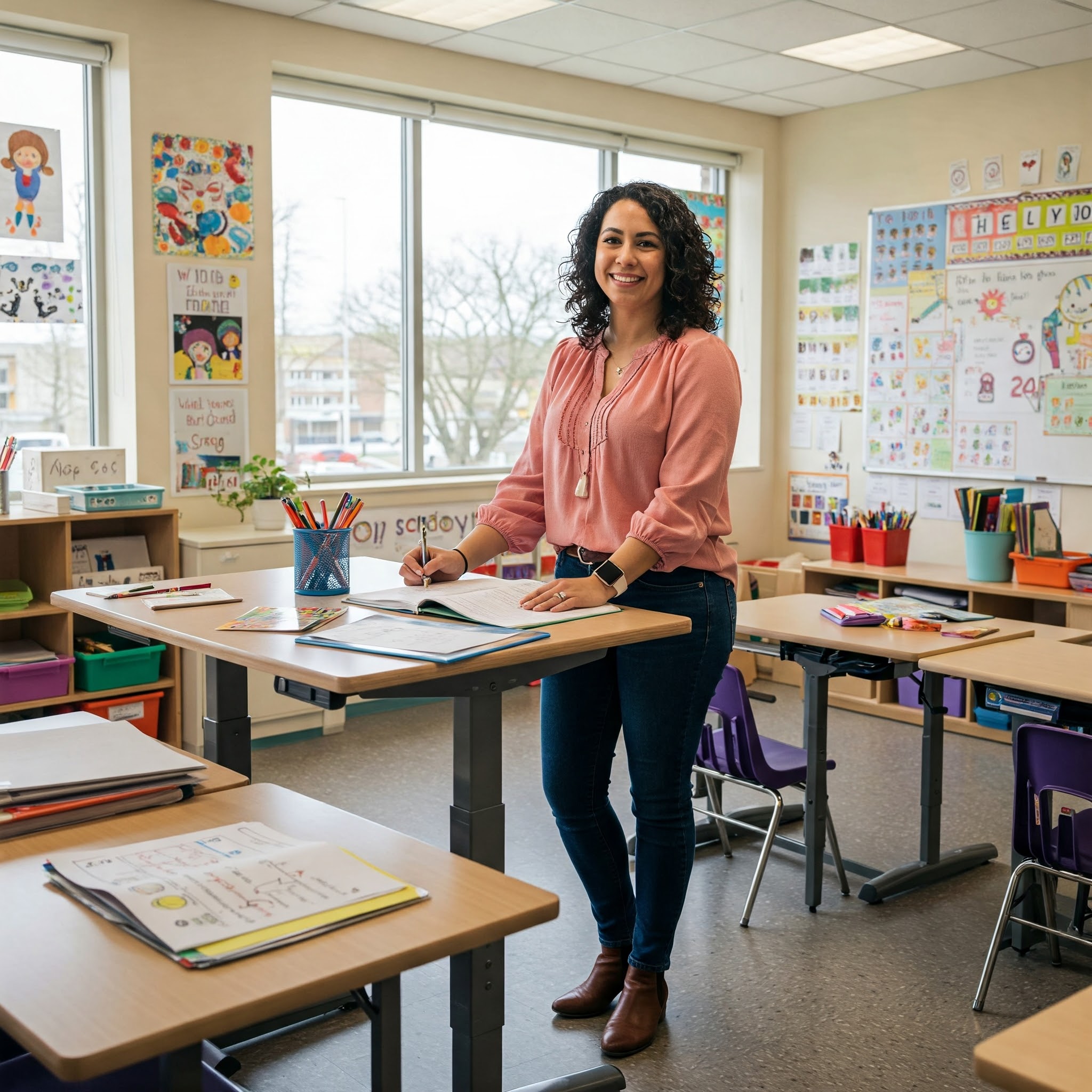
Are you a teacher who spends countless hours at your desk grading papers, preparing lessons, or meeting with students? The traditional seated teacher desk has been a classroom staple for decades, but many educators are discovering the transformative benefits of switching to a standing teacher desk. These ergonomic workstations are revolutionizing classroom environments across America, providing teachers with flexibility, improved energy levels, and enhanced instructional capabilities.
✨Was this helpful? Spread the word! 🚀
In this comprehensive guide, we’ll explore everything you need to know about standing teacher desk options, their benefits for classroom use, and how they compare to traditional seated desks. We’ll also examine how standing desk classroom setups can transform your teaching experience and boost student engagement. Additionally, we’ll look at versatile desk designs that incorporate features similar to island kitchen legs for maximum stability and adjustability.
Whether you’re an elementary school teacher looking to increase your mobility around the classroom or a high school instructor seeking better posture and energy levels throughout the day, this article will provide you with all the information you need to make an informed decision about transitioning to a standing teacher desk.
Understanding Standing Teacher Desks
Standing teacher desks, as the name suggests, are workstations designed to be used while standing rather than sitting. Unlike traditional teacher desks that have a fixed height suitable only for seated work, standing teacher desks come in various configurations, including fixed-height models and adjustable versions that allow for both standing and sitting positions.
The concept of standing while working isn’t new – artists, architects, and other professionals have used standing desks for centuries. However, the integration of standing desks into educational environments represents a significant shift in how we think about classroom design and teacher wellness.
Comparison: Standing Teacher Desk vs. Traditional Teacher Desk
| Feature | Standing Teacher Desk | Traditional Teacher Desk |
|---|---|---|
| Ergonomics | Promotes better posture and reduces back strain | Often leads to hunched posture over time |
| Energy Levels | Helps maintain alertness and energy throughout the day | Can contribute to afternoon fatigue |
| Mobility | Encourages movement and easier transitions around classroom | Teacher tends to remain seated in one position |
| Space Efficiency | Many models have smaller footprints and adjustable features | Typically requires more dedicated floor space |
| Student Interaction | Facilitates eye-level communication with standing students | Creates physical barrier between teacher and students |
| Versatility | Many can adjust between sitting and standing positions | Fixed at sitting height only |
| Price | $200-$800 for quality models | $150-$600 for comparable quality |
| Health Benefits | Potential reduction in back pain, improved circulation | Limited health advantages |

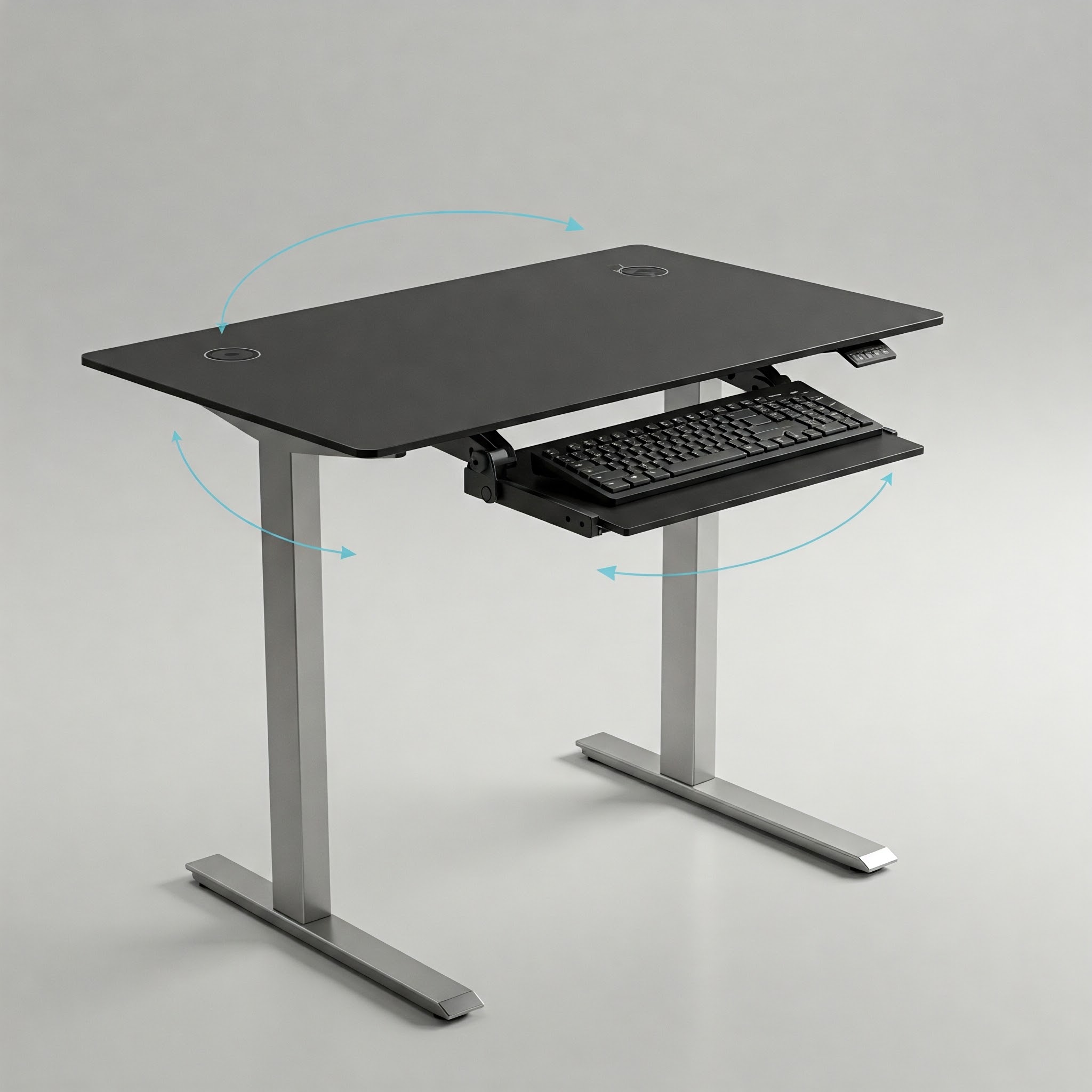
When we examine the physical structure of a standing teacher desk, several key components stand out. Most models feature a sturdy desktop surface that’s large enough to accommodate teaching materials, a computer, and grading spaces. The supporting structure typically involves either a frame with adjustable legs or a fixed-height design with stable supports similar to island kitchen legs in their robustness and stability requirements.
Modern standing teacher desk options often incorporate technological adaptations such as built-in cable management systems, electronic height adjustment mechanisms, and ergonomic accessories like monitor arms or keyboard trays. These features make them particularly suitable for today’s tech-integrated classroom environments.
What sets a standing teacher desk apart from general standing desks is the specific design considerations for classroom use. Teacher desks often require additional storage options, larger work surfaces for grading papers, and appropriate heights for interacting with students of various ages – elements that may not be essential in corporate or home office standing desks.
Benefits of Standing Teacher Desks in the Classroom
The transition to a standing teacher desk can yield numerous benefits that extend beyond simple ergonomics. Teachers who have made the switch frequently report transformative effects on both their teaching style and personal wellbeing.
Physical Health Benefits
One of the most commonly cited advantages of using a standing teacher desk is the positive impact on physical health. Research published in the Journal of Physical Activity and Health suggests that standing rather than sitting for portions of the workday can:
- Reduce back and neck pain from prolonged sitting
- Lower the risk of weight gain and obesity
- Decrease the chance of developing cardiovascular issues
- Improve posture and core strength
- Enhance circulation and reduce leg swelling
For teachers who typically spend 6-8 hours daily in the classroom, plus additional time grading and planning, these health benefits can be significant. Many educators report decreased back pain and higher energy levels after transitioning to a standing desk classroom setup.
Pedagogical Advantages
Beyond personal health benefits, standing teacher desks can transform teaching practices in several meaningful ways:
✅ Improved Classroom Management: A standing position provides better visibility across the entire classroom, making it easier to monitor student activities and maintain engagement.
✅ Enhanced Instructional Mobility: Teachers can transition more seamlessly between their desk and other classroom areas when already in a standing position.
✅ More Dynamic Teaching Style: Standing naturally encourages more animated and energetic instructional delivery.
✅ Better Student Interactions: Standing puts teachers at eye level with standing students, creating more natural conversation dynamics.
✅ Modeling Healthy Habits: Using a standing desk demonstrates to students the importance of ergonomics and movement throughout the day.
Benefits Comparison Table
| Benefit Category | Standing Teacher Desk | Traditional Seated Desk |
|---|---|---|
| Energy & Focus | Increased alertness and sustained energy | More prone to afternoon energy slumps |
| Teaching Dynamics | More active, engaged teaching style | More stationary, desk-bound instruction |
| Classroom Presence | Strong visual presence and authority | Diminished physical presence |
| Student Perception | Appears more approachable and ready to assist | Can seem less accessible behind desk barrier |
| Transition Time | Minimal time lost moving from desk to board/students | Requires standing up/sitting down repeatedly |
| Health Metrics | Potential for burning 30-50 more calories per hour | Lower caloric expenditure |
| Long-term Comfort | Reduced back issues with proper technique | Higher incidence of back/neck complaints |
| Accessibility | Can be challenging for teachers with certain disabilities | Generally accessible to most educators |
Professional Impact
The professional benefits of using a standing teacher desk extend beyond classroom management. Many teachers report that standing desks contribute to a more professional atmosphere, particularly in higher grade levels. Standing creates a more authoritative presence while simultaneously remaining approachable and engaged.
Additionally, school administrators have noted that classrooms equipped with standing teacher desks often appear more modern and progressive to parents and visitors, reflecting a commitment to both teacher wellness and innovative educational approaches.
Types of Standing Teacher Desks
The market offers various standing teacher desk options, each designed to meet different needs, preferences, and budgetary considerations. Understanding the different types will help you select the most appropriate model for your classroom environment.
Fixed-Height Standing Desks
Fixed-height standing teacher desks maintain a constant elevated height designed specifically for standing work. These desks are typically more affordable than their adjustable counterparts but lack the flexibility of height adjustment.
Advantages:
- More affordable entry point
- Simpler construction with fewer mechanical parts to malfunction
- Usually lighter and easier to relocate if needed
- Often feature more stable designs
Considerations:
- Cannot be converted for sitting, which may cause fatigue during long periods
- Height must be precisely matched to the teacher’s ergonomic requirements
- Less adaptable if shared among different teachers
Fixed-height standing desks work best for teachers who are already accustomed to standing for extended periods and who don’t share their workspace with other educators.
Adjustable Height Standing Desks
Adjustable height standing teacher desks represent the most versatile and popular option, allowing educators to alternate between sitting and standing throughout the day.
Types of Adjustment Mechanisms:
- Manual Adjustment: These desks use hand cranks or pneumatic systems to change heights. They’re more affordable than electric options but require physical effort to adjust.
- Electric Adjustment: Electric standing desks feature motorized systems that change height with the push of a button. Many include programmable height settings for quick transitions.
- Counterbalance Systems: These use a system of weights and tension to allow smooth, effort-free manual adjustments without motors.
Advantages of Adjustable Desks:
- Flexibility to switch between sitting and standing positions
- Better ergonomic customization for teachers of different heights
- Adaptability for various classroom activities and teaching styles
- Suitable for teachers new to standing desks who need gradual transition periods
Considerations:
- Higher price point than fixed models
- More complex mechanisms that may require maintenance
- Heavier and potentially more difficult to relocate
- May have less stability at maximum height extensions
Desk Converters and Toppers
For schools with budget constraints or teachers who want to try a standing option without replacing their existing desk, standing desk converters offer an affordable alternative.
How They Work: Desk converters sit atop an existing teacher desk and provide an elevated platform for a computer and essential work materials. Most models are adjustable, allowing for both sitting and standing positions.
Advantages:
- Significantly more affordable than full desk replacement
- No need to remove existing classroom furniture
- Easily portable between different classrooms if needed
- Good trial option before committing to a full standing desk
Considerations:
- Limited workspace compared to full-sized standing desks
- May have stability issues with heavier equipment
- Often lack storage capabilities of dedicated teacher desks
- Ergonomics may be compromised compared to purpose-built standing desks
Mobile Standing Teacher Desks
Mobile standing teacher desks feature wheels or casters that allow the workstation to be easily moved around the classroom, providing maximum flexibility for different teaching arrangements.
Advantages:
- Can be repositioned for various classroom activities
- Facilitates collaborative teaching and small group instruction
- Adapts to changing classroom layouts throughout the school year
- Especially useful in shared teaching spaces
Considerations:
- Stability may be compromised compared to stationary models
- Locking mechanisms for wheels are essential for secure positioning
- Cable management can be more challenging with frequent movement
- May have less robust construction to maintain portability
Standing Teacher Desks with Storage
Many standing teacher desk models integrate storage solutions similar to traditional teacher desks, including drawers, shelves, and filing capabilities.
Advantages:
- Maintains necessary storage for teaching materials
- Eliminates need for separate storage furniture
- Keeps frequently used items within easy reach
- Helps maintain classroom organization
Considerations:
- Storage features add weight and may impact mobility
- Higher cost compared to minimalist standing desk designs
- May reduce adjustability range in some models
- Can increase the desk’s footprint in the classroom
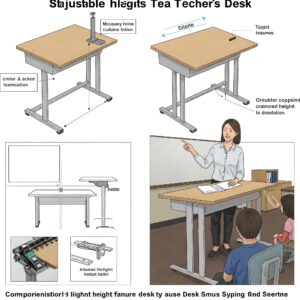
How to Choose the Right Standing Teacher Desk
Selecting the optimal standing teacher desk requires careful consideration of several factors specific to educational environments. Here’s a comprehensive guide to making an informed decision.
Ergonomic Considerations
The primary purpose of a standing teacher desk is to improve ergonomics, so this should be your first consideration:
✅ Height Range: Ensure the desk can adjust to your specific height requirements. Ideally, your elbows should rest at approximately 90 degrees when typing, and your eyes should be level with the top third of your monitor.
✅ Work Surface Area: Teachers typically need more desktop space than corporate office workers due to the nature of educational materials. Ensure sufficient space for your computer, document grading, and lesson preparation.
✅ Transition Speed: For adjustable models, consider how quickly and easily the desk transitions between heights, especially if you’ll be making frequent changes during class periods.
✅ Ergonomic Accessories: Check whether the desk accommodates essential ergonomic accessories like monitor arms, keyboard trays, or anti-fatigue mats.
Classroom-Specific Factors
Educational environments present unique considerations that may not apply to home or corporate standing desks:
✅ Visual Access: Choose a design that allows you to maintain visual contact with students from various positions around the desk.
✅ Student Accessibility: Consider how the desk’s configuration affects students’ ability to approach you for one-on-one assistance.
✅ Teaching Style Compatibility: Ensure the desk supports your preferred teaching methods, whether that involves technology integration, paper-based materials, or a combination of both.
✅ Classroom Size: Select a desk with dimensions appropriate for your classroom size, being mindful of traffic flow and accessibility requirements.
Structural Stability and Durability
Educational furniture must withstand years of daily use in active environments:
✅ Weight Capacity: Verify that the desk can safely support all necessary equipment, including computers, document cameras, and teaching materials.
✅ Frame Construction: Look for standing teacher desk models with robust frames, preferably made from steel or similarly durable materials.
✅ Stability Features: Examine the base design for stability, particularly at maximum height extensions. Models with island kitchen legs-style supports often provide superior stability compared to lighter designs.
✅ Surface Durability: Choose desktop surfaces resistant to scratches, stains, and daily classroom wear.
Budget Considerations
Standing teacher desks represent a significant investment for educational institutions:
✅ Total Cost of Ownership: Consider not just the initial purchase price but also durability, warranty coverage, and potential maintenance costs.
✅ Funding Options: Explore whether educational grants, wellness program funding, or departmental resources might be available to offset costs.
✅ Return on Investment: Calculate the potential long-term benefits against the initial expense, including teacher health improvements and potential reductions in substitute teacher costs due to fewer health-related absences.
✅ Scalability: If planning a school-wide implementation, look for manufacturers offering bulk pricing or educational discounts.
Technology Integration
Modern classrooms require seamless technology integration:
✅ Cable Management: Assess the desk’s cable management solutions, which are especially important in technology-rich educational environments.
✅ Power Access: Check whether the desk provides convenient access to power outlets or includes built-in power solutions.
✅ Device Compatibility: Ensure the desk accommodates all necessary teaching technology, including computers, document cameras, and interactive teaching tools.
✅ Future Adaptability: Consider how well the desk will adapt to emerging educational technologies in coming years.
Setting Up Your Standing Teacher Desk
Once you’ve selected the perfect standing teacher desk, proper setup is crucial to maximize ergonomic benefits and integrate the desk effectively into your classroom environment.
Ergonomic Positioning
Correct ergonomic positioning is essential to prevent discomfort and potential injuries:
- Height Adjustment: Set your desk height so that your elbows rest at approximately 90 degrees when typing. Your wrists should remain straight, not angled up or down.
- Monitor Placement: Position your monitor at eye level and about an arm’s length away. The top of the screen should be at or slightly below eye level to prevent neck strain.
- Keyboard and Mouse: Place these items so your arms can remain close to your body, with your wrists in a neutral position. Consider a keyboard tray if needed for optimal positioning.
- Standing Posture: Distribute weight evenly on both feet, keep knees slightly bent (not locked), and maintain a neutral spine position without leaning forward or backward.
- Anti-Fatigue Solutions: Use an anti-fatigue mat designed specifically for standing desks to reduce foot and leg fatigue during extended standing periods.
Classroom Layout Integration
Thoughtful placement within the classroom maximizes the benefits of your standing teacher desk:
- Strategic Positioning: Place your desk where you can maintain visual contact with all students while still accessing teaching resources like whiteboards or projection screens.
- Traffic Flow Consideration: Ensure the desk placement facilitates, rather than hinders, movement patterns in the classroom, particularly for emergency exits and accessibility requirements.
- Collaborative Zones: If your teaching style emphasizes collaborative learning, position your desk to easily transition between your workstation and student group areas.
- Technology Access: Consider proximity to essential technology connections, power sources, and network access points.
- Visual Hierarchy: Use desk placement to establish appropriate teacher presence without creating barriers to student engagement.
Gradual Transition Strategy
If you’re new to standing while teaching, a gradual implementation strategy will help your body adjust:
- Start Slowly: Begin with 20-30 minute standing intervals, gradually increasing duration as your body adapts.
- Alternative Positions: Plan to alternate between sitting and standing throughout the day, particularly if you have an adjustable model.
- Movement Incorporation: Include gentle movement while standing, such as weight-shifting or simple stretches, to prevent stiffness.
- Footwear Consideration: Wear supportive, comfortable shoes appropriate for extended standing.
- Listen to Your Body: Pay attention to any discomfort signals and adjust your standing routine accordingly.
Essential Accessories
Several accessories can enhance your standing teacher desk experience:
- Anti-Fatigue Mat: An essential addition that reduces pressure on feet, knees, and hips during standing periods.
- Monitor Arm: Provides flexible positioning for optimal screen placement at various standing and sitting heights.
- Cable Management Solutions: Keeps technology connections organized and prevents tripping hazards.
- Ergonomic Keyboard and Mouse: Complements your standing setup with proper hand and wrist positioning.
- Storage Solutions: Adds organizational capacity for teaching materials within easy reach.
Standing Desk Classroom Integration
Integrating a standing teacher desk into your broader classroom strategy can transform not just your teaching experience but also the overall classroom dynamic.
Teaching Style Adaptations
A standing teacher desk facilitates different instructional approaches:
- Dynamic Instruction: Moving between your desk and instructional areas becomes more fluid when already in a standing position, encouraging more dynamic teaching.
- Proximal Teaching: Standing naturally encourages circulating throughout the classroom rather than remaining desk-bound, promoting better student engagement.
- Technology Integration: Many standing teacher desks are designed to better accommodate digital teaching tools while maintaining personal connection with students.
- Energy Maintenance: The natural energy boost from standing can help sustain enthusiasm throughout teaching periods, particularly during challenging afternoon slots.
- Demonstration Flexibility: A standing position allows for easier transitions between explanation and demonstration activities.
Classroom Management Benefits
Standing teacher desks can enhance classroom management strategies:
- Visual Supervision: Standing provides better sightlines across the entire classroom, making it easier to monitor student activities.
- Authoritative Presence: A standing position naturally conveys more authority than sitting behind a desk, which can help with classroom management.
- Proximity Control: The ability to move quickly from your desk to any area of the classroom helps address potential behavioral issues before they escalate.
- Engagement Monitoring: Better visibility allows for improved assessment of student engagement levels and understanding.
- Transitional Efficiency: Standing facilitates smoother transitions between different classroom activities and instructional segments.
Student Adaptability
Consider how students will adapt to your new standing workstation:
- Clear Explanation: Take time to explain the purpose and benefits of your standing teacher desk to students, potentially incorporating it into health or ergonomics discussions.
- Consistent Accessibility: Establish clear protocols for how students should approach you at your standing desk for questions or assistance.
- Collaborative Considerations: Determine how your standing position affects collaborative work with student groups and adjust accordingly.
- Demonstration Value: Use your standing teacher desk as an opportunity to discuss workplace ergonomics and future-focused work environments with students.
- Accommodation Awareness: Be mindful that while you may be standing, students with certain disabilities may need seated options for one-on-one interactions.
Standing Desk Classroom Experiments
Some educators have expanded beyond a standing teacher desk to incorporate student standing options:
- Partial Implementation: Adding a few standing desks or workstations for students who benefit from movement opportunities.
- Standing Stations: Creating designated standing work areas for specific activities or as alternative work spaces.
- Flexible Seating Integration: Incorporating standing options within a broader flexible seating approach in the classroom.
- Activity-Based Standing: Designating certain learning activities as “standing activities” to introduce variety and energy into the classroom routine.
- Research Opportunities: Engaging students in action research projects about the effects of standing versus sitting on learning and attention.
Stability Features: Island Kitchen Legs vs. Traditional Desk Legs
The stability of a standing teacher desk is crucial for both functionality and safety. Many manufacturers have drawn inspiration from other furniture categories, including kitchen design, to create more stable and reliable standing desk structures.
Understanding Island Kitchen Legs Design Influence
Island kitchen legs provide exceptional stability for kitchen counters, which must support significant weight while maintaining a clean, open aesthetic. These design principles have influenced modern standing desk construction:
- Weight Distribution: Island kitchen legs typically feature wide bases that distribute weight across a larger footprint, creating inherent stability.
- Material Strength: Often constructed from solid wood or metal, these legs provide substantial support without excessive bulk.
- Cross-Bracing: Many designs incorporate subtle cross-bracing that enhances stability without creating visual heaviness.
- Height-to-Width Ratio: Well-designed island kitchen legs maintain an optimal ratio between height and width to prevent wobbling.
- Aesthetic Integration: Despite their structural importance, these legs often incorporate decorative elements that enhance rather than detract from the overall design.
Comparison: Island Kitchen Legs Style vs. Traditional Desk Legs
| Feature | Island Kitchen Legs Design | Traditional Desk Legs |
|---|---|---|
| Stability at Height | Superior stability at standing heights | Often less stable at extended heights |
| Weight Capacity | Typically supports 200-300+ pounds | Usually limited to 100-150 pounds |
| Footprint Size | Wider stance for better balance | Often narrower to conserve space |
| Visual Mass | Substantial presence that conveys stability | Lighter appearance that may seem less sturdy |
| Material Requirements | Requires stronger materials throughout | May use lighter materials with reinforcement points |
| Wobble Resistance | Minimal wobble even at maximum heights | May develop wobble at upper adjustment ranges |
| Cost Implications | Generally more expensive construction | More economical production methods |
| Aesthetic Appeal | Makes a bold design statement | More visually conservative approach |
✨ Transform Your Teaching Experience Today! ✨
➡ Ready to revolutionize your classroom experience? The right standing teacher desk can dramatically improve your energy, engagement, and effectiveness. Click on any recommended product in this guide to explore options that match your specific teaching style and classroom needs. Your back, your students, and your future self will thank you! 🏫📚✏️

Stability Considerations for Educational Environments
In classroom settings, stability features inspired by island kitchen legs offer several advantages:
- Equipment Support: Teachers often need their desks to support substantial technology setups, document cameras, and teaching materials.
- Movement Accommodation: A stable desk better absorbs the natural movement that occurs during standing work without distracting wobbling.
- Longevity Assurance: More robust leg systems typically correlate with longer product lifespans, an important consideration for school budgets.
- Safety Enhancement: Stable construction reduces risks of tipping or collapsing, which is particularly important in active classroom environments.
- Confidence Building: Teachers may be more likely to fully utilize standing features when they trust the desk’s stability.
Modern Stability Innovations
Beyond traditional island kitchen legs influence, today’s standing teacher desks incorporate several innovative stability features:
- Telescoping Leg Systems: Advanced telescoping mechanisms maintain stability throughout the height adjustment range.
- Smart Weight Distribution: Strategic placement of heavier components lower in the desk structure improves balance.
- Stabilization Technology: Some models include gyroscopic or counterbalance systems that automatically adjust to maintain stability.
- Anti-Wobble Mechanisms: Specialized bracing and joint designs that specifically target lateral movement.
- Customizable Leveling: Adjustable feet that compensate for uneven flooring commonly found in school buildings.
Top Standing Teacher Desk Recommendations
Based on extensive research, teacher feedback, and performance evaluations, here are some of the best standing teacher desk options currently available on the market, suitable for various classroom environments and teaching styles.
Best Overall Standing Teacher Desk
The FlexiTeach Pro Standing Desk stands out as our top overall recommendation, balancing functionality, durability, and value. This electric adjustable desk features a spacious 60″ x 30″ work surface, more than enough for teaching materials and technology. Its dual-motor lifting system provides smooth, quiet adjustments between 28″ and 48″ heights, accommodating teachers of varying heights.
What makes this desk particularly suitable for educational environments is its robust construction with stability features inspired by island kitchen legs, offering exceptional stability even at maximum height. The desktop includes a grommeted cable management system, and the frame comes with a 7-year warranty, reflecting the manufacturer’s confidence in its durability for classroom use.
Teachers particularly appreciate the four programmable height presets, allowing quick transitions between sitting and standing positions between class periods. The desk also includes a front modesty panel, an important consideration for classroom settings.
Key Features:
- Electric height adjustment with 4 programmable presets
- Spacious 60″ x 30″ desktop surface
- Exceptional stability with crossbar support system
- Built-in cable management solutions
- 300 lb weight capacity
- Front modesty panel
- 7-year frame warranty, 5-year mechanical warranty
This desk is ideal for primary classrooms through high school environments where teachers need flexibility, durability, and professional appearance.
Best Budget Standing Teacher Desk
For teachers or schools with limited budgets, the ClassroomRiser Converter offers an excellent entry point into standing desk benefits without replacing existing furniture. This desktop converter sits atop your current teacher desk and provides an adjustable platform for your computer and essential work materials.
The gas-spring mechanism allows for smooth transitions between sitting and standing heights with minimal effort. While not as spacious as a full standing desk, its 35″ x 24″ work surface accommodates a monitor, keyboard, and basic teaching materials. The riser features a separate keyboard tray that ensures proper ergonomic positioning.
The stability of this unit exceeds expectations for a converter model, with a weighted base that prevents tipping even when extended to maximum height. Its straightforward design requires no assembly and can be moved between different classrooms if needed.
Key Features:
- Gas-spring assisted height adjustment
- 35″ x 24″ main work surface with separate keyboard tray
- Height range from 5.9″ to 19.7″ (above existing desk)
- Supports up to 33 lbs of equipment
- No assembly required
- 3-year warranty
This converter is best suited for teachers who want to try standing without committing to a full desk replacement, or for schools implementing standing options gradually with budget constraints.
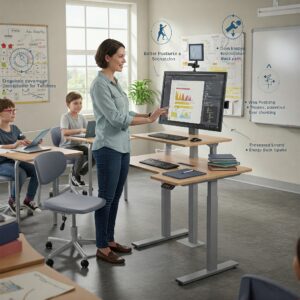
Best Electric Standing Teacher Desk
EduStand Premier Electric Desk
For schools investing in premium standing desk options, the EduStand Premier Electric Desk represents the pinnacle of electric standing teacher desk technology. This desk features an advanced dual-motor system that provides smooth, quiet adjustments at 1.5″ per second, allowing for quick transitions between classes.
The control panel includes a digital height display and four programmable presets, making it easy to switch between preferred positions. What sets this desk apart is its exceptional stability even at maximum height extension, thanks to its reinforced frame design with island kitchen legs-inspired support structures.
The desktop is available in multiple size options (48″, 60″, or 72″ width) to accommodate different classroom spaces, and all versions include integrated wire management troughs and grommet holes. The desk also features an anti-collision system that stops movement if it detects an obstruction, enhancing classroom safety.
Key Features:
- Advanced dual-motor electric adjustment system
- Digital height display with 4 programmable presets
- Multiple desktop size options
- Enhanced stability system with crossbar support
- Anti-collision safety feature
- 355 lb weight capacity
- 10-year warranty on frame, 5-year warranty on mechanical components
This desk is ideal for technology-intensive classrooms where teachers frequently transition between sitting and standing positions and need to support substantial equipment.
Best Standing Teacher Desk with Storage
TeachSpace Storage Standing Desk
Many teachers prioritize storage capacity alongside standing functionality, and the TeachSpace Storage Standing Desk excellently addresses this need. This L-shaped standing desk combines a height-adjustable main work surface with a fixed-height return featuring built-in storage components.
The main desk section adjusts from 29″ to 48″ using a smooth crank mechanism, while the return section remains at standard seated height, providing accessible storage regardless of the main desk’s position. Storage features include a file drawer, two utility drawers, and an open shelf compartment.
The desk’s construction emphasizes stability with a reinforced steel frame and wide support base. The L-configuration creates a semi-private teaching station while maintaining an open, accessible presence in the classroom.
Key Features:
- L-shaped configuration with adjustable main desk
- Manual crank height adjustment system
- Built-in file drawer, utility drawers, and shelf storage
- Laminate surface resists scratches and stains
- 71″ x 78″ total footprint (main desk + return)
- 275 lb weight capacity on adjustable surface
- 5-year warranty
This desk is particularly well-suited for teachers who maintain substantial paper records or teaching materials and need them easily accessible while enjoying standing desk benefits.
Best Mobile Standing Teacher Desk
MobilTeach Rolling Podium Desk
For teachers who move between different classrooms or frequently reconfigure their teaching space, the MobilTeach Rolling Podium Desk offers unmatched mobility combined with standing desk functionality. This compact but capable desk features a gas-lift adjustment mechanism and lockable casters for secure positioning once in place.
While smaller than standard teacher desks at 32″ x 24″, the work surface accommodates essential teaching technology and materials. The height adjusts from 30″ to 45″, suitable for most standing teaching positions. The desk includes a side document holder, front storage shelf, and built-in cable management system.
The frame construction draws inspiration from island kitchen legs with a wider base than typical mobile podiums, providing superior stability when in use. The reinforced casters lock securely in place but unlock easily when repositioning is needed.
Key Features:
- Gas-lift height adjustment system
- Lockable casters for mobility and stability
- Compact 32″ x 24″ work surface
- Side document holder and front storage shelf
- Cable management system
- 175 lb weight capacity
- 3-year warranty
This desk is ideal for traveling teachers, shared classrooms, or educational spaces that require frequent reconfiguration for different activities.
Accessorizing Your Standing Teacher Desk
The right accessories can significantly enhance your standing teacher desk experience, improving ergonomics, functionality, and comfort during long teaching days.
Essential Ergonomic Accessories
These accessories focus on maintaining proper body positioning and comfort during standing periods:
- Anti-Fatigue Mat: Perhaps the most important accessory, these specially designed mats reduce pressure on feet, knees, and hips during extended standing. Look for education-specific models with beveled edges to prevent tripping hazards.
- Monitor Arm: Adjustable monitor arms allow precise positioning of your screen at eye level, regardless of desk height, preventing neck strain. Dual monitor arms are available for teachers who utilize multiple screens.
- Ergonomic Keyboard Tray: An adjustable keyboard tray ensures proper wrist positioning while typing, reducing strain and potential repetitive stress injuries.
- Document Holder: Positions papers at eye level beside your monitor, reducing neck strain from looking down at papers on the desk surface.
- Footrest Bar: Allows for shifting weight and changing positions while standing, reducing lower back strain and improving comfort.
✨ Take Your Standing Experience to the Next Level! ✨
🏫 Ready to maximize the benefits of your standing teacher desk? The right accessories make all the difference in comfort and productivity. Click on any highlighted product above to find the perfect ergonomic solutions that will transform your teaching experience! ✏️
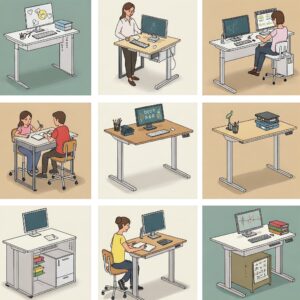
Tech Integration Accessories
These accessories help manage technology essential to modern teaching:
- Cable Management System: Keeps power and data cables organized, preventing tangles and creating a neater, more professional appearance.
- Power Strip with Surge Protection: Provides convenient access to outlets for multiple devices while protecting valuable teaching technology.
- Wireless Charging Pad: Integrated into the desktop for convenient charging of compatible devices without additional cables.
- Tablet/Document Camera Stand: Adjustable positioning for instructional technology tools frequently used in teaching.
- CPU Holder: Mounts the computer tower underneath the desk to save space and improve access to ports while keeping it off the floor.
Storage and Organization Accessories
These additions help maintain an organized teaching station:
- Desktop Organizer: Provides designated spaces for frequently used teaching items like pens, sticky notes, and small supplies.
- Under-Desk Drawer: Adds accessible storage without requiring a full desk with built-in drawers, maintaining the clean aesthetic of a standing desk.
- Hanging File Organizer: Attaches to the side of the desk for keeping important papers organized and within reach.
- Whiteboard/Corkboard Panel: Some models attach to standing desks, providing space for notes, reminders, or student work display.
- Supply Caddy: Mobile storage solution that complements a standing desk while keeping frequently used items easily accessible.
Comfort and Wellness Accessories
These items help maintain comfort during extended standing periods:
- Balance Board: Encourages subtle movement while standing, engaging core muscles and improving balance while reducing monotonous standing posture.
- Supportive Footwear: While not a desk accessory per se, appropriate shoes significantly impact standing comfort and should be considered part of your standing desk setup.
- Desk Cycle: Compact under-desk pedal exerciser that can be used during seated periods to maintain circulation and energy.
- Timed Stand/Sit Reminder: Apps or physical timers that remind you to change positions regularly throughout the day.
- Adjustable Stool: Provides an occasional perching option between full standing and sitting, creating a third posture alternative.
Accessory Comparison Table
| Accessory Type | Benefit | Investment Range | Priority Level |
|---|---|---|---|
| Anti-Fatigue Mat | Reduces foot, leg, and back fatigue | $35-$100 | Essential |
| Monitor Arm | Proper eye level, reduces neck strain | $50-$150 | High |
| Keyboard Tray | Maintains proper wrist positioning | $75-$200 | Medium-High |
| Cable Management | Organization, safety, professionalism | $15-$60 | Medium |
| Footrest Bar | Allows position changes while standing | $30-$80 | Medium |
| Document Holder | Reduces neck strain when reading | $20-$50 | Medium |
| Balance Board | Encourages movement, engages core | $60-$150 | Optional |
| Under-Desk Storage | Maintains organization without bulk | $40-$120 | Based on needs |
💬 Just one click – help others make better buying decisions too!😊
✨ Transform Your Teaching Experience Today! ✨
➡ Ready to revolutionize your classroom experience? The right standing teacher desk can dramatically improve your energy, engagement, and effectiveness. Click on any recommended product in this guide to explore options that match your specific teaching style and classroom needs. Your back, your students, and your future self will thank you! 🏫📚✏️

Accessory Implementation Strategy
When building your accessory collection, consider this phased approach:
- Start with Essentials: Begin with an anti-fatigue mat and proper monitor positioning, as these most directly impact comfort and ergonomics.
- Address Specific Pain Points: Next, add accessories that address your particular challenges, whether they’re related to technology management, storage, or specific ergonomic needs.
- Experiment Gradually: Introduce new accessories one at a time to properly evaluate their impact on your teaching routine before adding more.
- Consider Classroom Aesthetics: Choose accessories that maintain a professional appearance and don’t create visual clutter in the classroom environment.
- Involve Students When Appropriate: For certain accessories like balance boards or standing mats, consider how they might be periodically shared with students who could benefit from movement opportunities.
Teacher Testimonials
The impact of standing teacher desks is perhaps best illustrated through the experiences of educators who have made the transition. Here are insights from teachers across different grade levels and subject areas.
Elementary School Perspectives
Sarah Johnson, 3rd Grade Teacher “After switching to a standing teacher desk last year, I’ve noticed I’m much more engaged with my students. Rather than feeling ‘stuck’ behind my desk, I naturally move around the classroom more frequently. My energy levels stay consistent through the afternoon, which used to be a struggle. My students have even commented that I seem more available to help them.”
Marcus Chen, Elementary Art Teacher “As an art teacher, I’m constantly moving between student tables to provide guidance. My standing teacher desk has become a perfect home base that I can quickly approach and leave without the constant sitting and standing that used to interrupt my flow. The height also works perfectly for quick demonstrations that students can gather around to see.”
Middle School Experiences
Lakshmi Patel, 7th Grade Science Teacher “My standing teacher desk has transformed my classroom management. The elevated position gives me better visibility across the lab, which is crucial for safety during experiments. I’ve also found that standing naturally projects my voice better during instructions. An unexpected benefit has been the positive influence on my students – several have asked about the benefits of standing desks, which has led to great discussions about ergonomics and health.”
James Wilson, Middle School English Teacher “I was initially concerned about grading papers at a standing desk, but my adjustable model allows me to sit when needed for extended grading sessions. For regular teaching duties, standing has helped my back pain significantly. I used to leave school with a stiff lower back every day, but that’s almost entirely disappeared since making the switch.”
High School Insights
Dr. Maria Gonzalez, High School Biology Teacher “My standing teacher desk has completely changed how I use technology in the classroom. The adjustable height makes it easy to transition from computer work to microscope demonstrations. I’ve customized my setup with a monitor arm and document camera mount, creating an efficient teaching station that supports all aspects of biology instruction. My classroom feels more dynamic and less centered around me sitting ‘at the front.'”
Robert Taylor, High School History Teacher “As someone who teaches both seated seminar-style discussions and more traditional lectures, I appreciate the flexibility of my adjustable standing desk. I stand during lectures and transition to sitting during student discussions, creating a more equal dynamic. Students have commented that I seem more approachable when at my standing desk compared to sitting behind the traditional teacher desk.”
Administrator Perspective
Principal Jennifer Adams, Lincoln Middle School “We’ve gradually been introducing standing teacher desks throughout our school over the past three years. Teachers report higher satisfaction and energy levels, and we’ve seen a slight decrease in teacher absences due to back pain and other physical complaints. While the initial investment was higher than traditional desks, the durability has been excellent, and we anticipate lower replacement costs over time.”
Addressing Common Concerns
Despite the growing popularity of standing teacher desks, educators often have legitimate questions and concerns before making the transition. Here we address the most common hesitations and provide practical solutions.
Concern: “Standing all day sounds exhausting.”
This is perhaps the most common misconception about standing desks. Modern standing teacher desk approaches don’t recommend standing for the entire day.
Solution: The optimal approach is alternating between standing and sitting positions throughout the day. Many experts suggest starting with 30-minute standing intervals and gradually increasing as your body adapts. Adjustable desks allow for easy transitions between positions based on your energy levels and the type of work you’re doing.
Teachers often find that certain activities (like direct instruction, morning routines, or technology demonstrations) naturally lend themselves to standing, while others (extensive grading or detailed planning) may be more comfortable when seated.
Concern: “Standing desks are too expensive for school budgets.”
While high-end electric standing desks can be costly, there are multiple approaches to fit various budget constraints.
Solution: Consider these budget-friendly approaches:
- Start with desk converters ($100-$200) that sit atop existing desks
- Implement standing desks gradually, prioritizing teachers with specific ergonomic needs
- Explore education-specific grants and wellness program funding
- Look for manufacturers offering educational discounts
- Calculate long-term savings from improved teacher health and productivity
Many schools find that a phased implementation works best, allowing for budget distribution across multiple years while evaluating the impact and refining their approach.
Concern: “I need storage space that standing desks don’t provide.”
Traditional teacher desks often include substantial storage that teachers rely on for classroom materials.
Solution: Several approaches can maintain necessary storage:
- Choose standing teacher desk models with integrated storage features
- Pair a minimalist standing desk with separate mobile storage solutions
- Utilize wall-mounted or nearby cabinet storage instead of desk-integrated storage
- Select L-shaped standing desk configurations that combine adjustable and fixed-height surfaces with storage
- Implement digital storage solutions to reduce physical paper storage needs
Many teachers report that transitioning to a standing desk provides an opportunity to reassess storage needs and often results in more efficient organization systems.
Concern: “Standing might distract students or seem unusual.”
Teachers sometimes worry that standing rather than sitting might create an unusual classroom dynamic or distract students.
Solution: Experience shows that students adapt quickly to teachers using standing desks. Many teachers use the introduction of their standing desk as an educational opportunity to discuss:
- Workplace ergonomics and future-focused environments
- Health benefits of movement and posture awareness
- Different learning and working styles
- Innovation and adaptability in educational spaces
Most teachers report that after an initial period of curiosity, students completely normalize to seeing their teacher at a standing desk.
Concern: “Standing desks won’t accommodate my technology setup.”
Modern teaching often requires substantial technology integration, and teachers worry about stability and configuration.
Solution: Today’s standing teacher desks are specifically designed to accommodate technology:
- Quality models offer weight capacities well above typical classroom technology needs
- Cable management systems keep connections organized during height adjustments
- Monitor arms allow for optimal screen positioning regardless of desk height
- Larger work surfaces accommodate document cameras, tablets, and other teaching technology
- Stability features prevent wobbling even with active use of equipment
When selecting a standing desk, simply ensure the specifications match your specific technology requirements.
Concern: “I’m not sure a standing desk works with my teaching style.”
Teachers develop personalized instructional approaches and may wonder if a standing desk complements their established methods.
Solution: Standing desks actually support diverse teaching styles:
- Lecture-focused: Enhanced presence and vocal projection
- Student-centered: Easier transitions between desk and student areas
- Technology-integrated: Improved visibility of screens for troubleshooting
- Project-based: Better oversight of multiple simultaneous activities
- Discussion-based: Adjustable options for participating at different levels
Most teachers discover that a standing desk enhances rather than hinders their preferred teaching approach, often enabling more movement and engagement.
✨ Transform Your Teaching Experience Today! ✨
➡ Ready to revolutionize your classroom experience? The right standing teacher desk can dramatically improve your energy, engagement, and effectiveness. Click on any recommended product in this guide to explore options that match your specific teaching style and classroom needs. Your back, your students, and your future self will thank you! 🏫📚✏️
Conclusion
The transition to a standing teacher desk represents more than simply replacing a piece of classroom furniture—it embodies a philosophical shift toward more dynamic, health-conscious educational environments. Throughout this article, we’ve explored how standing teacher desks can transform both teaching experience and classroom dynamics while supporting educator wellbeing.
The research is clear that integrating moderate standing periods into the teaching day offers substantial benefits, from improved energy levels and reduced back pain to enhanced classroom presence and student engagement. Modern standing teacher desk options, with their adjustability, stability features inspired by island kitchen legs, and thoughtful design for educational environments, provide practical solutions for today’s diverse teaching needs.
Whether you’re an individual teacher considering a personal desk upgrade or a school administrator planning broader ergonomic initiatives, the standing desk classroom movement offers flexible implementation pathways. From budget-friendly converters to comprehensive electric systems with integrated storage, options exist to match various needs and constraints.
The testimonials from educators across grade levels and subject areas demonstrate that standing teacher desks can enhance instructional effectiveness while supporting teacher health—a win-win that ultimately benefits students through more engaged, energetic instruction and consistent teacher presence.
As with any change to established educational practices, successful implementation depends on thoughtful selection, proper setup, and gradual adaptation. By addressing common concerns and focusing on appropriate accessories and ergonomic principles, educators can maximize the benefits of their standing teacher desk investment.
The future of classroom design continues to evolve toward more flexible, movement-friendly environments that acknowledge the connection between physical wellbeing and effective teaching. Standing teacher desks represent an important component of this evolution—one that honors both the physical needs of educators and the dynamic nature of effective instruction.
FAQs
❓ How tall should a standing teacher desk be?
✅ Ideally, your standing teacher desk should position your elbows at a 90-degree angle when typing. For most teachers, this means a height between 38-44 inches, depending on your individual height. Adjustable models allow you to find your perfect ergonomic position...
❓ Can a standing teacher desk help with back pain?
✅ Yes, many teachers report significant reduction in back pain after switching to a standing desk. The alternation between sitting and standing reduces spinal pressure and encourages core engagement. Studies show that changing positions throughout the day can decrease back discomfort by 30-50%...
❓ What's the average cost of a quality standing desk classroom setup?
✅ Quality standing teacher desks range from $200-800 depending on features. Basic converters start around $100-200, manual adjustable desks $250-400, and electric models $400-800. Educational discounts often reduce these prices by 10-15% for school purchases...
❓ How do standing teacher desks impact student engagement?
✅ Teachers report increased student engagement with standing desks due to improved teacher mobility, better classroom visibility, and more dynamic instruction. Research indicates that teacher movement and positioning significantly influence student attention, with standing positions creating better visual connection...
❓ Are there stability differences between electric and manual standing teacher desks?
✅ Yes, stability can vary between mechanisms. Electric standing desks typically offer better stability at full height extension due to stronger motors and reinforced frames. Look for models with island kitchen legs-inspired stability features and crossbar supports for maximum stability regardless of adjustment type...
Recommended for You:
- 10 Best Pneumatic Standing Desk Options For Effortless Adjustability in 2025
- 10 Best Desk Edge Protector Solutions for Ultimate Comfort and Safety in 2025
- 10 Amazing Adjustable Height Wood Desk Options For Enhanced Productivity in 2025
Disclaimer: This article contains affiliate links. If you purchase products through these links, we may earn a small commission at no additional cost to you.
✨ Found this helpful? Share it with your friends! 💬🤗