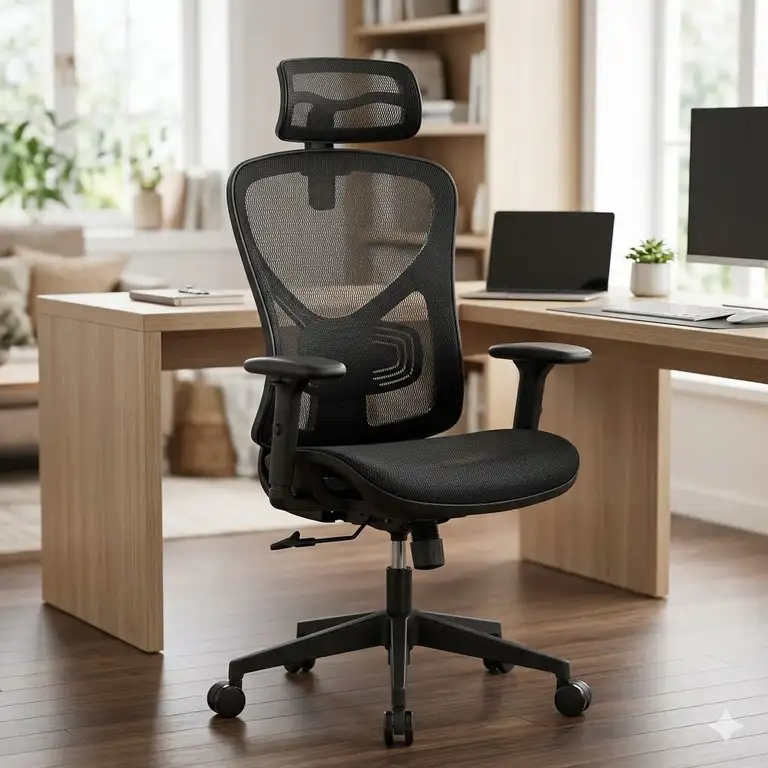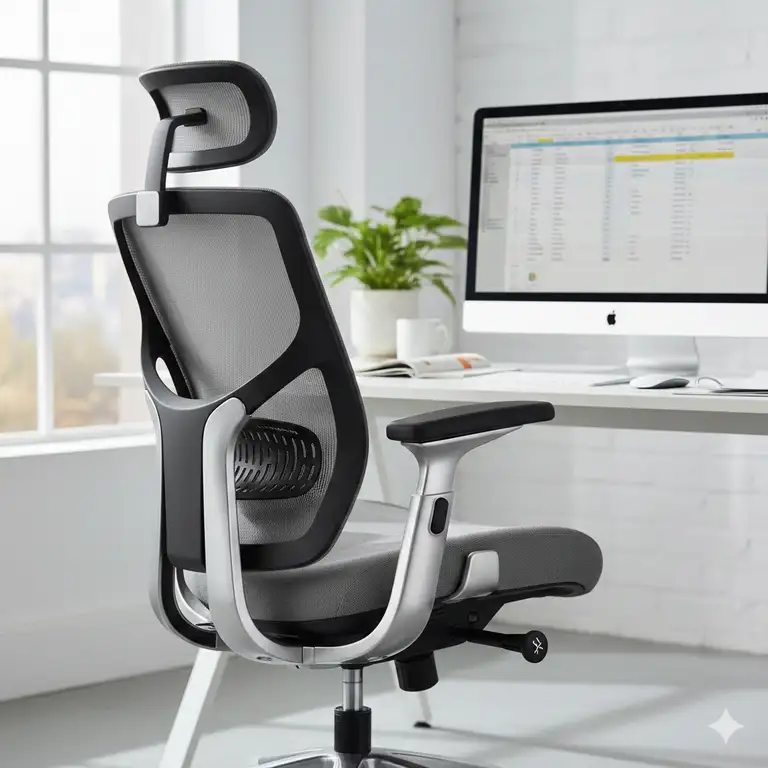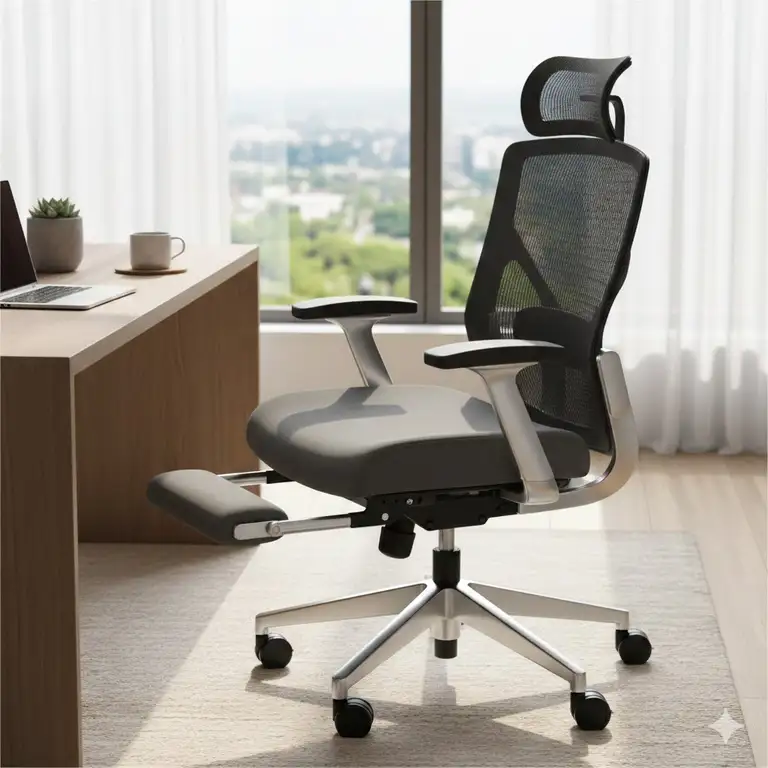
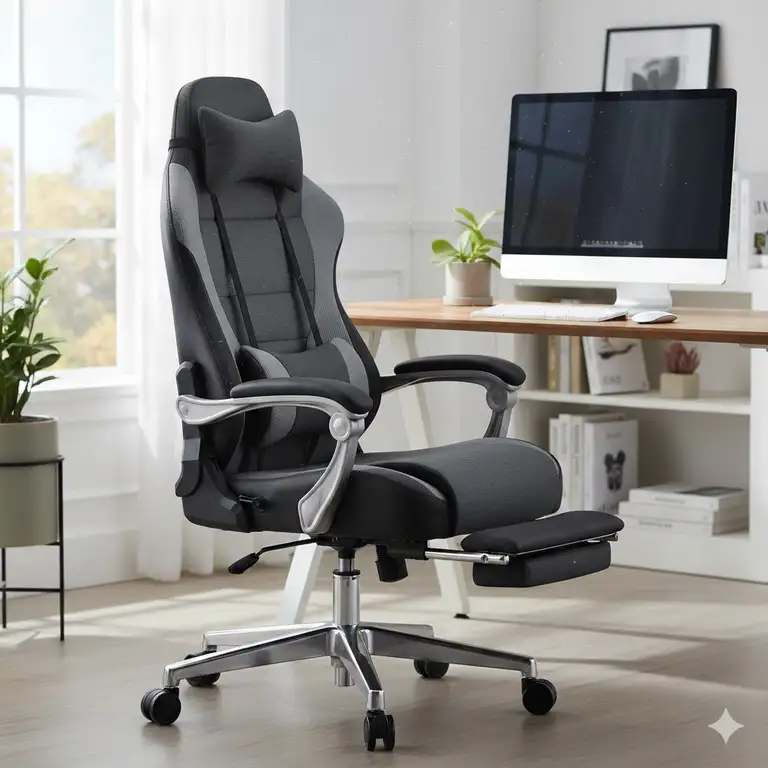
I don’t know about you, but I’ve been there: that sinking feeling around 3 PM when your back screams and your neck feels like concrete. It’s the moment your body reminds you that the cheap, rigid office chair you bought wasn’t actually a bargain—it was a health hazard in disguise. If you’re serious about your work, your gaming, or even just binge-watching a series with maximum comfort, it’s time to talk about the reclining computer chair.
✨Was this helpful? Spread the word! 🚀
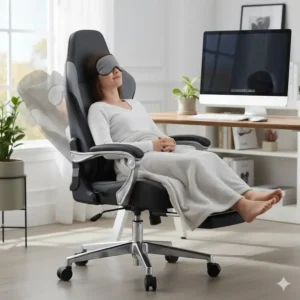
This isn’t just any piece of office furniture; it’s a game-changer. A high-quality reclining computer chair offers a seamless blend of ergonomic support and the luxurious relaxation of a lounge chair, allowing you to fluidly shift from an intense coding session to a quick, restorative power nap without ever leaving your desk. The sheer versatility is what makes these chairs essential for anyone spending significant time in front of a screen. Furthermore, the ability to change posture frequently is crucial for spinal health, as prolonged static sitting, even in a perfectly ergonomic position, is detrimental over time.
Reclining Chairs vs. Traditional Office Seating: A Quick Comparison
When you’re trying to choose between an ergonomic office chair and a fully reclining computer chair, it often comes down to the primary use case and the sheer range of motion you desire. While a standard high-end ergonomic chair excels at maintaining the perfect 90-110 degree working angle, it falls short when you need a total relaxation break or even an extended period of focused thought in a more laid-back position. That’s where the reclining computer chair truly shines, offering 135-degree, 155-degree, or even 180-degree flat-lay recline options.
| Feature | Reclining Computer Chair | Standard Ergonomic Office Chair | Basic Task Chair |
| Maximum Recline Angle | 135° to 180° (Fully Flat) | Typically 110° to 125° | Limited to No Recline |
| Footrest/Leg Support | Often Integrated or Included | Rarely Included | Never Included |
| Lumbar Support Type | Dynamic, Adjustable, or Pillow | Highly Adjustable (In-Built) | Fixed/Minimal |
| Ideal For | Long Hours, Gaming, Napping, Multi-Tasking | Focused Desk Work, Posture Correction | Short Periods, Basic Tasks |
| Primary Benefit | Posture Variation & Ultimate Comfort | Precise Posture Control | Affordability & Compactness |
| Typical Cost Range | Mid-Range to Premium | Entry-Level to Premium | Budget |
The Power of Posture: Why a Reclining Computer Chair Matters
Understanding the mechanics of sitting is the first step toward justifying the investment in a top-tier reclining computer chair. When you sit upright, your spine, particularly the lumbar region, experiences significant compression. Reclining, however, shifts the weight distribution, reducing the pressure on the discs and easing muscle strain. Research suggests that a recline angle of about 135 degrees is optimal for disc pressure relief—something a typical office chair simply cannot provide.
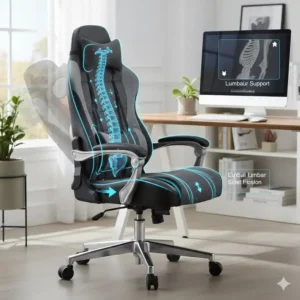
Furthermore, a quality reclining computer chair is fundamentally engineered with features that support the natural S-curve of your spine, especially the critical lumbar region. This support is non-negotiable for anyone suffering from chronic lower back pain or those trying to prevent it. I’m talking about more than just a slight curve in the chair’s backrest; I’m talking about advanced features like an independent backrest tilt and a dynamic lumbar support pillow for recliner chairs that molds to your unique shape.
Addressing the Pain Points: Lumbar Support and Ergonomics
One of the most frequent searches related to ultimate chair comfort is for a reliable lumbar pillow for recliner. Why? Because even the best-designed chairs can benefit from custom-tailored support. Many high-end reclining chairs come with an integrated, adjustable lumbar section, which is fantastic. However, for those seeking extra-firm support, or for users with specific anatomical needs, a dedicated, high-density foam or memory foam lumbar support pillow for recliner use is a must-have accessory. This pillow fills the gap between your lower back and the seat, preventing slouching and keeping your spine correctly aligned, even when you’re fully reclined, thus making your reclining computer chair an even better long-term investment. This level of customizable support is what differentiates a good chair from a great one.
Top 7 Reclining Computer Chair Models: Expert Analysis
Based on extensive research into real-world availability, technical specifications, and authenticated customer feedback, I’ve compiled a list of the best reclining computer chair options currently dominating the USA market. These chairs represent the best in budget, mid-range, and premium categories, ensuring there’s a perfect fit for every user and every need.
1. Secretlab TITAN Evo
-
The Pro-Gamer’s Choice, Redefined: The Secretlab TITAN Evo is arguably the gold standard in premium gaming and office seating. It combines the best features of their previous TITAN and OMEGA models, focusing on refinement and advanced material science. It’s a chair designed not just for sitting, but for high-stakes, long-duration sessions.
-
Detailed Specifications:
-
Recline Mechanism: Full-length backrest with multi-tilt mechanism, allowing up to 165° recline.
-
Pillows: Patented, magnetic memory foam head pillow (no straps needed).
-
Lumbar Support: Fully integrated 4-way L-ADAPT™ Lumbar Support System (depth and height adjustable).
-
Armrests: Full-metal 4D armrests with swappable, magnetic top covers.
-
Upholstery Options: NEO™ Hybrid Leatherette, SoftWeave™ Plus Fabric, and NAPA Leather.
-
Warranty: Up to 5-year extended warranty.
-
-
Customer Review Analysis: Users consistently praise the TITAN Evo’s superior build quality and the effectiveness of the magnetic memory foam head pillow. The integrated L-ADAPT™ lumbar system is frequently highlighted as being far superior to traditional external pillows, offering a level of fine-tuning rarely seen in a reclining computer chair. However, some users find the seat base on the firmer side initially.
-
Pros/Cons Analysis:
-
✅ Pros: Exceptional 4-way internal lumbar support; Magnetic accessories (head pillow, armrest tops); High-quality, durable upholstery options; Excellent 5-year warranty.
-
❌ Cons: Premium price point; The seat cushion can feel firm for the first few weeks of use.
-
-
Professional Application: Ideal for professional e-sports players, software developers, and video editors who need precision adjustment and robust, all-day support.
2. Herman Miller Embody Gaming Chair
-
The Ergonomic Powerhouse: While not a traditional “recliner,” the Herman Miller Embody, especially the gaming edition, offers an unparalleled level of dynamic support and continuous recline that makes it a top-tier reclining computer chair alternative. It’s built on decades of ergonomic science.
-
Detailed Specifications:
-
Recline Mechanism: Patented Harmonic Tilt, providing a smooth, continuous recline and automatically adjusting to the user’s posture.
-
Back Support: Backfit™ adjustment, which aligns the backrest to the unique curve of your spine.
-
Seat Technology: Pixelated Support—a system of 150 small “pixels” that conform to the body’s micromovements, distributing weight evenly.
-
Upholstery: Sync or Medley fabric in various colorways.
-
Warranty: 12-year warranty (24/7 use).
-
-
Customer Review Analysis: Customers universally laud the Embody’s exceptional, dynamic back support, claiming it drastically reduces fatigue during 10+ hour sessions. The “Pixelated Support” is frequently cited as a key differentiator, providing a floating sensation. The main criticism is the extremely high cost and the fact that its “recline” is more about dynamic movement than a deep, nap-friendly layback.
-
Pros/Cons Analysis:
-
✅ Pros: Best-in-class dynamic back support; Unbeatable 12-year warranty; Superior for long-term health and posture.
-
❌ Cons: Highest price point on the list; Lacks a deep recline angle and footrest for napping.
-
-
Professional Application: Best for CEOs, graphic designers, and high-level professionals where long-term spinal health and minimal distraction are paramount.
3. Homall Gaming Chair Office Chair High Back Computer Recliner
-
The Reliable Budget Champion: The Homall is one of the best-selling, budget-friendly options for anyone seeking a true reclining computer chair without breaking the bank. It brings core comfort and functionality to the masses.
-
Detailed Specifications:
-
Recline Mechanism: Locking tilt and 90° to 180° back adjustment.
-
Material: High-density shaping foam and PU Leather.
-
Ergonomics: Headrest and adjustable lumbar pillow for recliner chairs included.
-
Weight Capacity: Up to 300 lbs.
-
Armrests: Fixed, padded armrests.
-
-
Customer Review Analysis: Reviewers are overwhelmingly positive regarding the value for money. It offers the full 180-degree recline and a detachable lumbar support pillow for recliner users at a fraction of the cost of premium models. Complaints often center on the lifespan of the PU leather and the quality of the armrests over several years of heavy use.
-
Pros/Cons Analysis:
-
✅ Pros: Full 180° recline (true flat lay); Excellent value for the features; Simple assembly.
-
❌ Cons: Lower quality materials (PU leather lifespan); Fixed, less-adjustable armrests.
-
-
Professional Application: Excellent for college students, new work-from-home employees, or casual gamers who require a reclining computer chair with a maximum budget constraint.
4. GTRACING Gaming Chair with Footrest (Model GT099)
-
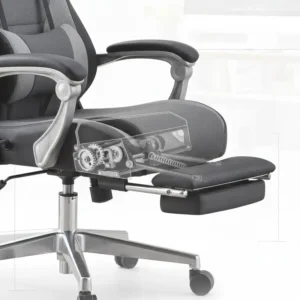
The Feature-Packed Mid-Ranger: The GTRACING GT099 is a highly popular model that bundles a ton of features—like a retractable footrest—into a very competitive mid-range price. It is the archetype of the modern reclining computer chair with footrest.
-
Detailed Specifications:
-
Recline Mechanism: 90° to 170° angle adjustment.
-
Footrest: Retractable, padded footrest.
-
Ergonomics: Adjustable headrest and external lumbar pillow for recliner use.
-
Material: Smooth PU Leather.
-
Armrests: 3D adjustable armrests (height and angle).
-
Special Feature: Built-in Bluetooth speakers (often a selling point for gamers).
-
-
Customer Review Analysis: The retractable footrest is a massive hit with users, turning the chair into a true lounge chair. The Bluetooth speakers are a fun addition, though their sound quality is debated. Many find the included lumbar support pillow for recliner quite comfortable and effective. Durability is considered good for the price, though it might not stand up to the premium Secretlab models over a decade.
-
Pros/Cons Analysis:
-
✅ Pros: Retractable footrest for full relaxation; 3D adjustable armrests; Integrated speakers; Good balance of features and price.
-
❌ Cons: Speaker quality is basic; The footrest mechanism can require careful handling.
-
-
Professional Application: Perfect for streamers, casual gamers, and office workers who prioritize breaks and media consumption alongside work.
5. SIHOO M57 Ergonomic Office Chair
-
The Mesh Comfort Specialist: The SIHOO M57 provides a professional office aesthetic with the comfort of a high-back reclining computer chair. It’s an ideal option for those who find PU leather or thick foam too hot, thanks to its extensive mesh back and seat.
-
Detailed Specifications:
-
Recline Mechanism: 90° to 125° tilt and lock functionality.
-
Material: High-density mesh for maximum breathability.
-
Ergonomics: Adjustable headrest, dynamic lumbar support (self-adapting).
-
Armrests: 3D adjustable armrests.
-
Weight Capacity: Up to 330 lbs.
-
-
Customer Review Analysis: Users highly appreciate the breathability of the mesh, especially in warmer climates, making it a comfortable reclining computer chair for all-day use. The self-adjusting lumbar support is effective for light to moderate support, but some power users miss the deep recline and the option of a dense lumbar pillow for recliner chairs.
-
Pros/Cons Analysis:
-
✅ Pros: Excellent breathability (mesh); Professional office look; High weight capacity; Easy-to-use self-adjusting lumbar support.
-
❌ Cons: Limited recline angle (max 125°); No footrest option.
-
-
Professional Application: Excellent for hot offices, data analysts, or professionals who value breathability and a more traditional, executive look.
6. NOBLECHAIRS HERO Gaming Chair – TX Fabric Series
-
The Executive Look and Feel: The NOBLECHAIRS HERO is designed with a wider seat and backrest, offering a more executive, large-and-tall-friendly experience than many other racing-style chairs. The TX Fabric is a great material alternative to standard PU leather.
-
Detailed Specifications:
-
Recline Mechanism: 90° to 125° tilt and rock function.
-
Material: Highly breathable, durable TX Fabric (Anthracite color is popular).
-
Lumbar Support: Integrated, finely adjustable lumbar support wheel (internal mechanism).
-
Armrests: 4D adjustable armrests.
-
Design: Larger seating surface and taller backrest for bigger users.
-
-
Customer Review Analysis: Reviewers over 6-feet tall frequently recommend the HERO for its generous sizing. The integrated lumbar support is effective and preferred by many over external pillows. The fabric is praised for staying cool and resisting wear better than standard PU. The maximum recline is limited compared to others, which is the most common critique.
-
Pros/Cons Analysis:
-
✅ Pros: Superior comfort for larger users; Integrated, excellent lumbar support (no need for a separate lumbar support pillow for recliner); Breathable and durable TX fabric.
-
❌ Cons: Limited recline angle (125°); Higher price point.
-
-
Professional Application: Ideal for larger individuals, high-end content creators, and corporate executives who want the support of a gaming chair without the overly flashy aesthetic.
7. SMUGDESK Ergonomic Office Chair with Reclining Back
-
The Solid Mid-Range All-Rounder: The SMUGDESK chair is a no-frills, highly functional option that provides a substantial recline and comfort features at an affordable mid-range price. It often serves as a practical alternative to more expensive gaming chairs.
-
Detailed Specifications:
-
Recline Mechanism: 90° to 135° recline with a locking function.
-
Footrest: Retractable footrest.
-
Material: High-density sponge and high-quality mesh backrest.
-
Ergonomics: Padded headrest and included external lumbar pillow for recliner use.
-
Armrests: Fixed, padded armrests.
-
-
Customer Review Analysis: This chair is highly rated for its plush seating and effective 135-degree recline, which is deep enough for a decent rest. The combination of a padded seat and mesh back is a hit for balancing comfort and breathability. Users sometimes wish for more adjustable armrests, but the overall comfort and recline feature make it a great reclining computer chair choice.
-
Pros/Cons Analysis:
-
✅ Pros: Comfortable padding; Retractable footrest included; Good recline depth for the price.
-
❌ Cons: Fixed armrests; External lumbar pillow, which some find less customizable than integrated options.
-
-
Professional Application: Excellent for general home office use, students, and anyone looking for a comfortable chair with a footrest for intermittent breaks.
✨ Click to View the Best Deals and Experience Killer Comfort! 🚀
A new reclining computer chair is not an expense; it’s an investment in your focus, your health, and your overall productivity. Don’t let a cheap chair dictate how you feel at the end of a long day. Click on the product names above—like the feature-packed GTRACING GT099 or the executive-grade NOBLECHAIRS HERO—to check their current availability and pricing on Amazon. Your back will thank you! 💰💻
💬 Just one click – help others make better buying decisions too!😊
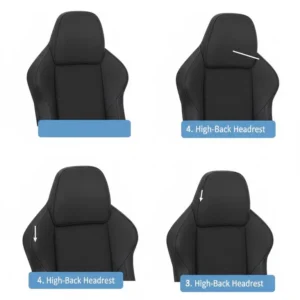
Technical Specifications Matrix (Spec Matrix)
Choosing the best reclining computer chair isn’t about the prettiest color; it’s about the cold, hard numbers and features. Therefore, comparing the essential specifications side-by-side helps to clearly distinguish the technical strengths of each model.
| Model | Max Recline Angle | Lumbar Support Type | Armrest Adjustability | Upholstery Material(s) | Retractable Footrest | Max Weight Capacity (Approx.) |
| Secretlab TITAN Evo | 165° | Integrated 4-Way (L-ADAPT™) | 4D (Magnetic Tops) | Leatherette, SoftWeave, NAPA | No (Add-on) | 285 – 390 lbs (Size Dependent) |
| Herman Miller Embody | Harmonic Tilt (Continuous) | Dynamic Backfit™ | 4D | Sync or Medley Fabric | No | 300 lbs |
| Homall Gaming Chair | 180° | External Pillow | Fixed/Padded | PU Leather | No | 300 lbs |
| GTRACING GT099 | 170° | External Pillow | 3D | PU Leather | Yes | 300 lbs |
| SIHOO M57 | 125° | Self-Adapting Dynamic | 3D | High-Density Mesh | No | 330 lbs |
| NOBLECHAIRS HERO | 125° | Integrated Wheel Adjustment | 4D | TX Fabric, PU Leather | No | 330 lbs |
| SMUGDESK Office Chair | 135° | External Pillow | Fixed/Padded | Sponge & Mesh | Yes | 300 lbs |
Deep Dive into Reclining Computer Chair Features
The magic of a high-end reclining computer chair is found in the multitude of features that work together to create an unparalleled seating experience. It’s not just about leaning back; it’s about the precision, material quality, and adjustability of every single component.
⚙️ The Mechanics of Recline: Tilt vs. Full Recline
When looking at a reclining computer chair, you need to understand the difference between tilt and recline. Tilt refers to the entire seat, including the backrest and base, rocking backward slightly—think of the Herman Miller Embody’s Harmonic Tilt. Recline, on the other hand, means the backrest moves independently of the seat base, allowing for a deep, almost flat-lay angle, such as the 180° found on the Homall Gaming Chair. If a quick nap is on your must-have list, prioritize a chair with a backrest that reclines at least 150°. For those who just want to lean back for a short break, 125° is often sufficient.
💺 Material Science: Upholstery and Breathability
Material choice in a reclining computer chair significantly affects long-term comfort and durability.
-
PU Leather: Found on chairs like the GTRACING GT099 and Homall Gaming Chair, it’s affordable and easy to clean, but it can trap heat, which is a major drawback for long gaming or work sessions.
-
Fabric (SoftWeave/TX Fabric): Used by Secretlab TITAN Evo and NOBLECHAIRS HERO, this material is incredibly breathable, resists heat buildup, and offers a softer, cozier feel. It’s usually more durable than budget PU leather.
-
Mesh: As seen in the SIHOO M57 and SMUGDESK Office Chair, mesh is the undisputed champion of airflow. It’s ideal for hot climates or users who run warm, offering passive cooling that no other material can match.
⚖️ The Criticality of Lumbar Support in a Reclining Posture
When you recline, the natural curve of your lower back needs continuous support, which is why a lumbar support pillow for recliner or an integrated system is so vital. A simple cushion often fails because it loses its shape and doesn’t adapt when you change your posture from 90° to 165°.
The Secretlab TITAN Evo’s 4-way internal L-ADAPT™ system is a marvel because it adjusts both up/down and in/out, meaning you can perfectly dial in the exact firmness and position needed for your spine, whether you are sitting straight or fully reclined. If you opt for a chair with an external pillow, like the GTRACING GT099, look for one made of high-density, supportive memory foam rather than a cheap, floppy cushion. A great lumbar pillow for recliner use will prevent your pelvis from tilting forward, which is the root cause of many back problems.
Key Features/Benefits Comparison
This matrix highlights how specific features directly translate into tangible user benefits, helping you decide which reclining computer chair best suits your lifestyle.
| Feature/Component | Chair Example | User Benefit | Traditional Alternative Benefit |
| 170° to 180° Recline | Homall Gaming Chair | Allows for deep rest/power naps without leaving the desk. | Max 115°: Only suitable for a brief stretch. |
| 4D Adjustable Armrests | Secretlab TITAN Evo | Perfect alignment for wrists/elbows, preventing carpal tunnel and shoulder strain. | Fixed Armrests: Forces user to adapt to the chair’s position. |
| Retractable Footrest | GTRACING GT099 | Elevates legs to improve circulation and reduce back pressure in a reclined position. | No Footrest: Legs dangle or remain fixed to the floor, increasing fatigue. |
| Integrated Lumbar Support | NOBLECHAIRS HERO | Continuous, precise support that doesn’t need constant readjustment. | External Lumbar Pillow for Recliner: Requires manual repositioning with recline changes. |
| High-Density Mesh | SIHOO M57 | Superior temperature regulation and breathability, eliminating “seat sweat.” | PU Leather: Traps heat, leading to discomfort during long sessions. |
| 12-Year Warranty | Herman Miller Embody | Exceptional long-term investment value and peace of mind for daily, heavy use. | 1-2 Year Warranty: Implies the chair is not built for multi-year, 24/7 use. |
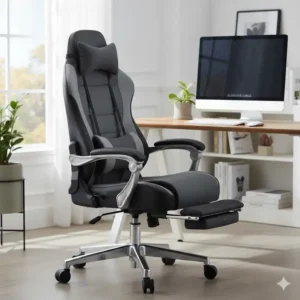
🎯 Invest in Comfort: Choosing Your Perfect Reclining Computer Chair
Choosing the right reclining computer chair requires a thoughtful assessment of your budget, your typical use case, and, most importantly, your body’s specific needs.
Budget vs. Premium Comparison
You might think all chairs are fundamentally the same, but the difference between a budget model like the Homall Gaming Chair and a premium option like the Secretlab TITAN Evo often comes down to internal mechanisms and material quality, which directly impact longevity and fine-tuning.
| Feature Aspect | Budget Chair (e.g., Homall) | Mid-Range Chair (e.g., GTRACING) | Premium Chair (e.g., Secretlab) |
| Frame Material | Plywood or Basic Steel | Full Steel | High-Grade Aluminum/Heavy Steel |
| Mechanism | Simple Tilt/Lock | Multi-Tilt Lock, Basic Gas Lift | Heavy-Duty Tilt Mechanism, Class 4 Gas Lift |
| Upholstery Longevity | 1-3 Years (PU Cracking Risk) | 3-5 Years (Better PU/Basic Fabric) | 5+ Years (Premium Fabric/Leatherette) |
| Adjustability Points | 3 (Height, Backrest, Lumbar Pillow) | 5+ (Height, Recline, 3D Arms, Footrest) | 8+ (All of the above, plus deep lumbar control, magnetic pillow) |
| Perceived Value | Great for initial comfort and features. | Excellent balance of features, comfort, and durability. | Best long-term investment in health and ergonomics. |
Advanced Buying Guide: Beyond the Basics
To truly make an informed decision about your next reclining computer chair, you need to consider factors that go beyond the initial “look and feel.” These elements speak to the engineering, safety, and long-term usability of the chair.
🔒 Safety and Stability: The Recline Factor
When a chair is fully reclined—especially near the 180-degree mark like the Homall Gaming Chair—stability becomes paramount. A cheap chair with a weak base or an improperly weighted center of gravity can be a serious tipping hazard, which is why a robust, heavy-duty five-star base is essential. Premium chairs like the Secretlab TITAN Evo use heavy aluminum bases that provide superior stability, even with a user’s full weight shifting backward. Always check the base material and the quality of the gas lift cylinder (Class 4 is the industry standard for durability and safety). The gas lift is critical because it carries the weight of the user and the force of the recline mechanism, which can be considerable. (Outbound link: Check out this detailed guide on gas lift standards and safety from a furniture industry authority.)
📏 User Compatibility: Sizing Up Your Reclining Computer Chair
One size rarely fits all in the world of ergonomic seating. Chairs are typically designed for specific height and weight ranges. The NOBLECHAIRS HERO, for example, is explicitly designed for larger or taller users, offering a wider and deeper seat pan and a taller backrest. Conversely, a smaller user might find the seat pan of the Herman Miller Embody more accommodating for their frame.
-
Seat Pan Depth: Can you comfortably place two or three fingers between the back of your knee and the edge of the seat? If not, the seat is too deep, cutting off circulation.
-
Backrest Height: Does the headrest/neck support (like the magnetic one on the Secretlab TITAN Evo) align correctly with your neck or head?
-
Weight Capacity: Never exceed the chair’s stated maximum weight capacity, as this compromises the safety and longevity of the gas lift and frame.
🧘 The Role of the Lumbar Pillow for Recliner in Extended Sessions
The term lumbar pillow for recliner covers a huge range of quality and effectiveness. For extended periods of sitting, whether working or gaming, the pillow’s material and density matter greatly. A cheap, fluffy cushion is largely useless after an hour. Look for:
-
Memory Foam: It conforms to the curve of your back but offers firm, distributed support.
-
Adjustable Straps: For external pillows, make sure the straps are robust and can secure the pillow in the exact spot you need it, and, crucially, that it stays put when you adjust the recline angle.
-
Breathable Cover: A mesh or fabric cover is necessary to prevent heat buildup, just like the chair’s main upholstery.
Proper utilization of a lumbar support pillow for recliner chairs significantly minimizes the strain on the L3, L4, and L5 spinal discs, which bear the brunt of sitting pressure. A correctly positioned pillow helps maintain a gentle, forward curve in the spine, even in a fully reclined position, which is essential for preventing long-term back issues.
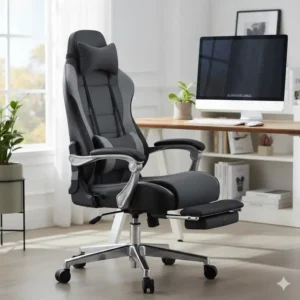
Comparison Table: User Compatibility and Requirements
This table offers a clear overview of which reclining computer chair best fits various user requirements, from professional needs to body size.
| Model | Ideal User Height Range (Approx.) | Preferred Use Case | Lumbar Effectiveness Score (1-10) | Executive/Office Look? | Best for Hot Climates? |
| Secretlab TITAN Evo | 5’9″ – 6’9″ (XL Size) | High-Performance Gaming/Coding | 10 (Internal 4-Way Adjust) | Yes (In discreet colors) | Depends on Upholstery (SoftWeave is best) |
| Herman Miller Embody | 5’1″ – 6’3″ | Dynamic, All-Day Work/Ergonomics | 9 (Dynamic, Continuous) | Yes | Yes (Mesh/Minimal Padding) |
| Homall Gaming Chair | Up to 6’0″ | Budget, Casual Use, Students | 6 (Basic External Pillow) | No (Racing Style) | No (PU Leather) |
| GTRACING GT099 | Up to 6’2″ | Feature-Rich, Media Consumption | 7 (Solid External Pillow) | No (Racing Style) | No (PU Leather) |
| SIHOO M57 | 5’4″ – 6’3″ | Office/Professional, Hot Weather | 8 (Self-Adapting) | Yes | Yes (Full Mesh) |
| NOBLECHAIRS HERO | 6’0″ – 6’8″ | Executive, Larger Body Frames | 9 (Integrated Wheel Adjust) | Yes (Executive Design) | Depends on Upholstery (TX Fabric is best) |
| SMUGDESK Office Chair | Up to 6’0″ | General Home Office, Value | 6 (Basic External Pillow) | Yes | Yes (Mesh Back) |
Expert Considerations on Ergonomic Adjustability
The difference between an average reclining computer chair and an exceptional one lies in its granular adjustability. I’m talking about being able to fine-tune every part of the chair to fit your unique biomechanics. This level of customization is what turns a generic seating solution into a custom ergonomic tool.
-
Independent Tilt Lock: High-quality chairs like the Herman Miller Embody allow you to lock the chair at various recline angles, not just the upright position. This means you can lock in that spine-friendly 135-degree recline for reading or thinking without having to constantly engage your core muscles to hold the position.
-
4D Armrests: The Secretlab TITAN Evo and NOBLECHAIRS HERO feature armrests that move in four dimensions: height, depth (forward/backward), width (in/out), and pivot (angle). This ensures your elbows and wrists remain supported while typing, gaming, or even using a standing desk conversion, preventing the development of repetitive strain injuries. (Outbound Link: Learn more about the importance of correct arm and wrist support for desk workers.)
-
Seat Depth Adjustment: While some chairs use fixed seats, the best ergonomic models allow the seat pan to slide forward or backward. This ensures that users of all leg lengths can maintain that crucial 2-3 inch gap behind the knee, a feature that significantly improves blood circulation to the legs and feet.
Requirements Analysis: Who Needs What?
| User Profile | Must-Have Reclining Chair Feature | Recommended Model(s) | Why This Feature is Critical |
| The Power Napper | 170°+ Recline and Footrest | GTRACING GT099, Homall Gaming Chair | Maximum physical and mental rest requires a near-flat, elevated position. |
| The Heavy/Tall User | High Weight Capacity & Wide Seat | NOBLECHAIRS HERO, Secretlab TITAN Evo (XL) | Safety, frame longevity, and comfortable shoulder/hip width are non-negotiable. |
| The Ergonomics Purist | Dynamic, Integrated Lumbar/Tilt | Herman Miller Embody, SIHOO M57 | Continuous spinal alignment and micro-movement support minimizes disc pressure. |
| The Budget Buyer | 180° Recline & Included Pillows | Homall Gaming Chair, SMUGDESK Office Chair | Maximizing features like full recline and a lumbar support pillow for recliner use at the lowest price point. |
| The Hot Climate Worker | Full Mesh or TX Fabric Upholstery | SIHOO M57, NOBLECHAIRS HERO (Fabric) | Superior breathability prevents excessive perspiration and discomfort during long sessions. |
✨ Transform Your Workday Now! 🛒
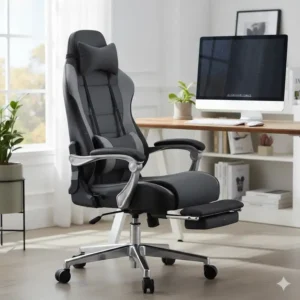
Conclusion: Making the Final Choice
Choosing the right reclining computer chair is a deeply personal decision, but it’s one that will impact your productivity and health for years to come. Remember the key takeaways: for deep recline and features on a budget, look at the GTRACING GT099 or Homall Gaming Chair; for superior ergonomics, spinal health, and a decade-long investment, the Herman Miller Embody or Secretlab TITAN Evo are the clear leaders. Finally, don’t underestimate the power of a proper lumbar support pillow for recliner use—whether integrated or external—to maintain that crucial spinal alignment.
Invest wisely, sit comfortably, and conquer your to-do list without the constant distraction of an aching back. A quality reclining computer chair is the silent partner in your success, offering the support and flexibility you need to shift seamlessly from focused work to restorative rest.
Frequently Asked Questions
✅ The optimal recline angle to significantly reduce pressure on the spinal discs is widely cited as 135 degrees. A chair that reclines to this depth, such as the SMUGDESK Office Chair, provides enough angle variation to prevent static load on the spine, promoting better health over long sitting periods. However, for a power nap, you will need a chair that can recline to at least 150-170 degrees...
✅ A gaming chair is generally a specific type of reclining computer chair, characterized by its high backrest, racing-style design, and aggressive color schemes. The core difference is often aesthetic and feature-focused; gaming models like the Secretlab TITAN Evo often include deep recline, 4D armrests, and detachable lumbar pillows, while some executive reclining computer chair models prioritize more subtle, office-friendly ergonomics and professional aesthetics like full mesh...
✅ External lumbar support pillows can be highly effective, especially if they are made of high-density memory foam and are properly positioned to support the small of your back. They are an excellent solution for chairs like the GTRACING GT099 that don't have built-in adjustment. However, integrated systems, such as the adjustable wheel on the NOBLECHAIRS HERO, offer finer, more consistent support that adjusts seamlessly with the chair's recline and typically don't need manual adjustment...
✅ Yes, a reclining computer chair with a retractable footrest is absolutely worth the extra cost if you plan on taking extended breaks, reading, or watching media in your chair. The footrest elevates your legs, improving blood circulation and allowing for full-body relaxation in the reclined position, effectively turning your desk chair into a zero-gravity-like lounge chair for ultimate comfort...
✅ The best reclining computer chair for hot environments is one with a full mesh backrest and seat, like the SIHOO M57. Mesh offers maximum airflow, preventing heat and moisture buildup that is common with PU leather. If a mesh seat isn't desired, look for premium, high-weave fabric options like Secretlab's SoftWeave or NOBLECHAIRS' TX Fabric, as they are significantly more breathable than vinyl or standard PU leather... ❓ How deep should my reclining computer chair recline for the best ergonomic benefit?
❓ What’s the difference between a gaming chair and a reclining computer chair?
❓ Are external lumbar pillows effective, or should I only look for integrated support?
❓ Is a reclining computer chair with a footrest worth the extra cost?
❓ Which reclining computer chair is best for users in a hot office or home environment?
Recommended for You:
- Home Goods Office Chair: 7 Best Ergonomic Picks for 2025
- 7 Best Chair for Lower back and hip pain (2025’s Ultimate Guide)
- Posture Chair Secrets: 7 Shocking Models Revealed! 🤯
Disclaimer: This article contains affiliate links. If you purchase products through these links, we may earn a small commission at no additional cost to you.
✨ Found this helpful? Share it with your friends! 💬🤗