Are you tired of sitting all day at your desk, feeling the aches and pains of prolonged sitting, but don’t want to be stuck in one place? A rolling standing workstation might be the perfect solution you haven’t considered yet. These versatile pieces of office equipment have been gaining popularity for good reason—they combine the health benefits of standing desks with the convenience of mobility, giving you the freedom to work wherever inspiration strikes.
✨Was this helpful? Spread the word! 🚀
As someone who has tested dozens of ergonomic office solutions over the past decade, I’ve seen firsthand how a good rolling standing workstation can transform not just posture and comfort, but overall workflow and creativity. The ability to wheel your desk from one room to another or position it exactly where you need it brings a new dimension to how we think about workspaces.
In this comprehensive guide, I’ll walk you through everything you need to know about rolling standing workstations (also known as mobile standing workstations or rolling stand up desks). We’ll explore their benefits, features to look for, top models on the market, and how to choose the perfect one for your specific needs. Whether you’re a remote worker needing flexibility, a healthcare professional requiring mobility, or someone who simply values versatility in their workspace, this guide will help you make an informed decision.
Comparison: Rolling Standing Workstation vs. Traditional Options
| Feature | Rolling Standing Workstation | Fixed Standing Desk | Traditional Sitting Desk |
|---|---|---|---|
| Mobility | High – can be moved anywhere | None – fixed in place | Low – heavy to move |
| Height Adjustment | Yes – most offer pneumatic or electric adjustment | Yes – most are adjustable | No – fixed height |
| Space Requirements | Moderate – compact footprint | Large – requires dedicated space | Large – requires dedicated space |
| Versatility | High – can be used in multiple settings | Moderate – can sit or stand | Low – sitting only |
| Cost Range | $150-$600 | $200-$1000+ | $80-$500 |
| Health Benefits | Maximum – encourages movement and position changes | High – allows standing option | Low – promotes sedentary behavior |
| Setup Complexity | Low – often comes pre-assembled | High – often requires full assembly | Moderate – some assembly required |
| Storage Options | Moderate – many include small shelves/hooks | High – typically full desk surface | High – full desk surface and drawers |
What Is a Rolling Standing Workstation?
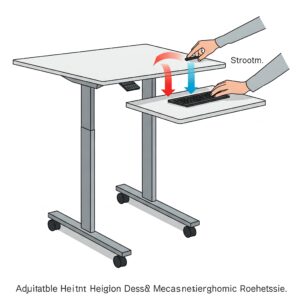
A rolling standing workstation is exactly what it sounds like: a workstation that stands on wheels, allowing you to easily move it from place to place while working at a standing height. Unlike fixed standing desks that remain in one location, a rolling standing workstation gives you the freedom to roll your desk wherever you need it—from your home office to your living room, or from one meeting space to another in a corporate environment.
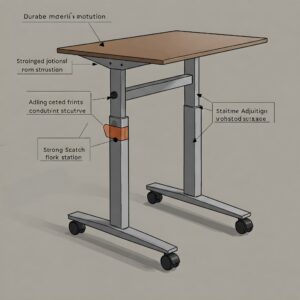
These versatile workstations typically feature a height-adjustable work surface mounted on a wheeled base. Many rolling stand up desk options include locking casters to keep the desk stable when you’re working, and can be adjusted to accommodate different heights and working preferences. Most models offer adjustment ranges suitable for users between 5’0″ and 6’5″ tall, making them accessible for nearly everyone.
The mobile standing workstation concept has evolved significantly in recent years. Early models were often clunky and limited in functionality, but today’s options include sleek designs with impressive weight capacities, integrated cable management, multiple work surfaces, and even power options. Some premium models offer electric height adjustment, while more affordable options use pneumatic or manual adjustment mechanisms.
Why Choose a Rolling Standing Workstation?
The Health Benefits of Standing While Working
Standing while working has been linked to numerous health benefits that can significantly improve your overall wellbeing:
✅ Reduced risk of weight gain and obesity – Research suggests that standing burns about 50-110 extra calories per hour compared to sitting
✅ Lower blood sugar levels – Studies have found that standing after meals can help reduce blood sugar spikes, particularly beneficial for those with insulin resistance
✅ Decreased risk of heart disease – Analysis in the American Journal of Epidemiology found that those who stood more had a 33% lower risk of heart attack compared to those who sat more
✅ Reduced back pain – A 2018 study showed that participants reported a 31% reduction in back pain after using standing desks for several weeks
✅ Improved mood and energy levels – Research from the University of Queensland found that reducing sitting time by just one hour per day improved mood states and decreased fatigue
✅ Enhanced productivity – According to a study in the IIE Transactions on Occupational Ergonomics and Human Factors, standing workstations improved cognitive performance on creative tasks
The key to maximizing these benefits is having the flexibility to change positions throughout the day, which is where the rolling standing workstation truly shines.
The Advantage of Mobility
The rolling functionality of a mobile standing workstation adds several unique benefits that fixed desks simply can’t match:
✅ Freedom to work from any room – Roll your desk to where the lighting is best, where you can see your children playing, or where inspiration strikes
✅ Easy collaboration – Move your desk to collaborate with colleagues without losing your workspace setup
✅ Adapt to environmental changes – Too hot by the window? Too noisy near the kitchen? Simply roll away to a more comfortable spot
✅ Maximize small spaces – In compact living situations, the ability to move your desk against a wall when not in use can be invaluable
✅ Change scenery to boost creativity – Research suggests that changing your environment can enhance creative thinking and problem-solving abilities
A rolling standing workstation combines the ergonomic benefits of a standing desk with unprecedented flexibility, making it an ideal solution for modern work environments where adaptability is key.
Key Features to Look for in a Rolling Standing Workstation
When shopping for a rolling standing workstation or mobile standing workstation, several key features will determine how well it meets your specific needs:
Height Adjustment Mechanism
The height adjustment system is perhaps the most important feature to consider, as it directly impacts usability and ergonomics:
Pneumatic Adjustment: Using air pressure, these systems allow smooth, quiet height changes without electricity. Simply squeeze a lever, and the desk rises or lowers with minimal effort.
Electric Adjustment: These systems use motors to change height at the push of a button. They’re the most convenient but typically more expensive and require access to power.
Manual Adjustment: Usually involving a crank or knobs to set height. These are often the most affordable options but require more physical effort to adjust.
For optimal ergonomics, look for a rolling stand up desk that adjusts to your exact height needs. The work surface should position at or slightly below elbow height when standing to minimize strain on shoulders and wrists.
Work Surface Size and Capacity
Consider both the dimensions and weight capacity of the work surface:
Surface Area: Common desktop sizes range from compact (24″ x 18″) to spacious (48″ x 30″). Consider your equipment needs—a single laptop requires much less space than a multi-monitor setup.
Weight Capacity: Most quality mobile standing workstations support between 25-100 pounds. Ensure the capacity accommodates all your equipment, including monitors, laptops, documents, and accessories.
Monitor Accommodation: If you use external monitors, verify the workstation can support them. Some models include dedicated monitor mounts or arms for proper positioning.
Mobility Features
Since mobility is a primary benefit of a rolling standing workstation, pay close attention to these features:
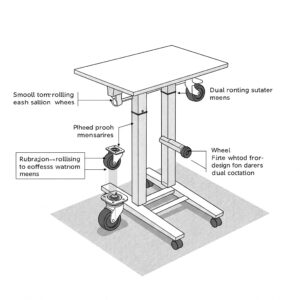
Caster Quality: Look for smooth-rolling, durable casters that glide easily over your floor surfaces. Larger wheels (3″ or greater) generally perform better, especially over carpet or uneven surfaces.
Locking Mechanism: Essential for stability, good locking casters prevent unwanted movement while working. All wheels should lock securely.
Maneuverability: Consider the turning radius and ease of steering, particularly important in tight spaces.
Stability and Build Quality
A wobbling desk is frustrating and potentially dangerous for your equipment:
Base Design: Wider bases generally provide better stability. Look for sturdy construction with quality materials.
Anti-Wobble Features: Some premium rolling stand up desk models incorporate anti-wobble technology or reinforced joints.
Material Quality: Steel frames typically offer the best durability, while aluminum provides a good balance of strength and weight.
Additional Features
Several supplemental features can enhance functionality:
Storage Options: Look for integrated shelves, keyboard trays, CPU holders, or cable management systems.
Ergonomic Additions: Some models include wrist rests, anti-fatigue mats, or adjustable monitor arms.
Power Integration: Premium models may feature built-in power strips or USB charging ports.
Aesthetic Options: Consider how the workstation’s design and finish will complement your space.
Top Rolling Standing Workstation Models in 2025
After extensive research and testing, I’ve identified several standout rolling standing workstation models that excel in different categories:
Best Overall Rolling Standing Workstation
VIVO Mobile Height Adjustable Rolling Desk
The VIVO Mobile Standing Workstation has earned my top spot for its exceptional balance of functionality, quality, and value. This versatile mobile standing workstation features a robust pneumatic height adjustment system that smoothly transitions from sitting to standing positions with minimal effort. The spacious 31.5″ x 24″ work surface accommodates dual monitor setups while maintaining excellent stability even at maximum height.
What really sets this rolling stand up desk apart is its thoughtful design. The locking casters move effortlessly on both carpeted and hard surfaces, while the steel frame construction supports up to 55 pounds of equipment. Cable management solutions are integrated throughout, and the sleek black finish complements virtually any decor.
Users particularly praise its easy assembly process (typically under 30 minutes) and intuitive height adjustment that doesn’t require electricity. At under $300, it delivers premium features at a mid-range price point, making it an excellent investment for home offices or corporate environments.
Best Budget-Friendly Option
SHW Height Adjustable Mobile Laptop Desk
For those seeking affordability without sacrificing quality, the SHW Mobile Laptop Desk offers impressive functionality at around $100. This compact rolling standing workstation features a manual height adjustment system that locks at various positions between 28″ and 46″ tall, accommodating users of most heights.
The work surface measures 26″ x 16″, making it ideal for laptop-focused setups rather than multiple monitors. The steel frame supports up to 35 pounds, sufficient for most basic configurations. Four smooth-rolling casters (two lockable) provide good mobility across different floor surfaces.
What impressed me most about this budget option was its stability—unusual in this price range. While it lacks the refined adjustment mechanism of premium models, it delivers core functionality at an accessible price point, making it perfect for students, part-time remote workers, or those testing the waters with standing work.
Best Premium Rolling Standing Workstation
Ergotron WorkFit-C Height Adjustable Workstation
For professionals willing to invest in the ultimate mobile workspace, the Ergotron WorkFit-C represents the pinnacle of rolling standing workstation design. This premium workstation features a patented Constant Force technology that allows effortless, one-touch height adjustment without batteries or electricity.
The substantial work surface accommodates dual 24″ monitors or a single 30″ display, plus ample space for accessories. What truly distinguishes this model is its exceptional build quality and thoughtful ergonomic design—the keyboard tray adjusts independently from the monitor platform, allowing perfect positioning for both screen and typing surface.
The heavy-duty casters navigate smoothly over any surface, and the entire unit demonstrates rock-solid stability even at maximum extension. Cable management is comprehensive, with channels and clips throughout the frame. While the $800+ price point puts it among the most expensive options, professionals who spend 8+ hours daily at their desk will appreciate the unmatched quality and ergonomic benefits.
Best Compact Option
For those with limited space, the SIDUCAL Mobile Standing Desk offers impressive functionality in a small footprint. This cleverly designed rolling stand up desk measures just 23.6″ wide, yet includes separate platforms for a monitor/laptop and keyboard, promoting better ergonomics than most compact options.
The pneumatic adjustment system allows height variations between 27.5″ and 45.3″—suitable for users up to 6’3″ tall. Despite its compact size, it supports up to 30 pounds and includes thoughtful features like a side hook for headphones and a cup holder.
The C-shaped base slides partially under sofas or beds, making it ideal for small apartments or multipurpose rooms where space optimization is crucial. Assembly takes just 10-15 minutes, and the entire unit weighs only 22 pounds, making it easy to maneuver even for those with limited strength.
Best for Healthcare Environments
Ergotron LearnFit Mobile Workstation
Healthcare settings demand specific features, and the Ergotron LearnFit excels in medical environments. This purpose-built rolling standing workstation features antimicrobial work surfaces, sealed crevices to prevent contamination, and hospital-grade casters that maneuver easily without collecting debris.
The pneumatic height adjustment is crucial in healthcare, allowing practitioners to quickly adjust from seated consultations to standing documentation without touching adjustment mechanisms with potentially contaminated gloves. The work surface accommodates medical tablets or laptops plus charting materials.
What makes this model stand out is its exceptional stability and durability—critical when moving between patient rooms multiple times daily. The slim profile allows it to fit in crowded hospital hallways and small exam rooms, while the simple design minimizes cleaning challenges in environments where sanitation is paramount.
Features Comparison Table: Top Rolling Standing Workstation Models
| Feature | VIVO Mobile Height Adjustable | SHW Mobile Laptop Desk | Ergotron WorkFit-C | SIDUCAL Mobile Desk | Ergotron LearnFit |
|---|---|---|---|---|---|
| Height Range | 29.5″ – 45″ | 28″ – 46″ | 30″ – 49″ | 27.5″ – 45.3″ | 31″ – 48″ |
| Work Surface Dimensions | 31.5″ x 24″ | 26″ x 16″ | 32″ x 22″ | 23.6″ x 15.7″ | 24″ x 18″ |
| Weight Capacity | 55 lbs | 35 lbs | 65 lbs | 30 lbs | 40 lbs |
| Adjustment Mechanism | Pneumatic | Manual | Constant Force | Pneumatic | Pneumatic |
| Caster Size | 3″ | 2″ | 4″ | 2.5″ | 3.5″ |
| Additional Features | Cable management | Side pocket | Independent keyboard tray | Cup holder, side hook | Antimicrobial surface |
| Assembly Time | 30 minutes | 15 minutes | 45 minutes | 15 minutes | 20 minutes |
| Warranty | 3 years | 1 year | 5 years | 18 months | 5 years |
| Price Range | $250-$300 | $90-$120 | $800-$900 | $130-$160 | $350-$400 |
💬 Just one click – help others make better buying decisions too!😊
✨ Make Your Move to Mobile Productivity Today! 🚀
➡ After exploring the many benefits and options of rolling standing workstations, isn’t it time to experience the freedom of mobile ergonomics for yourself? The perfect balance of health benefits and flexibility is just a click away. Browse our top recommendations and find the ideal solution for your unique work style!
How to Choose the Right Rolling Standing Workstation for Your Needs
With so many options available, selecting the perfect rolling standing workstation requires considering your specific work style, environment, and needs:
Assess Your Work Style
Start by analyzing how you work:
- Equipment Setup: Do you use multiple monitors or just a laptop? Heavy equipment requires higher weight capacity and larger work surfaces.
- Movement Frequency: Will you move the desk occasionally or multiple times daily? Frequent movers should prioritize smooth-rolling, durable casters and lightweight construction.
- Height Requirements: Are you significantly taller or shorter than average? Verify the height adjustment range accommodates your ergonomic needs.
- Work Duration: Will you stand for brief periods or extended hours? Longer standing sessions benefit from more precise height adjustment and ergonomic accessories.
Consider Your Environment
Your physical space dictates certain requirements:
- Floor Surface: Carpeted floors require larger, more robust casters than hard surfaces.
- Space Constraints: Measure doorways and pathways to ensure your selected model can navigate through them.
- Visual Aesthetics: Choose finishes and designs that complement your existing decor.
- Power Access: If considering electric models, evaluate outlet locations and cable management needs.
Evaluate Special Requirements
Some situations demand specific features:
- Video Conferencing: If frequently on video calls, consider models with stable camera mounting options or dedicated shelving for devices.
- Artistic Work: Creative professionals might prioritize tilt-adjustable surfaces or additional storage for supplies.
- Shared Users: Workstations used by multiple people should offer quick, easy height adjustment and higher weight capacities.
- Presentation Needs: Those who present frequently might value models that can double as mobile podiums.
Budget Considerations
Establish priorities based on your budget:
- $75-$150: Basic functionality with manual height adjustment, suitable for occasional standing.
- $150-$300: Mid-range options with better stability, pneumatic adjustment, and moderate weight capacity.
- $300-$500: Premium features like larger work surfaces, superior ergonomics, and higher weight capacities.
- $500+: Professional-grade construction, advanced ergonomic features, and specialized functionality.
Remember that a quality rolling standing workstation is an investment in both productivity and health—prioritize features that directly impact your daily comfort and efficiency.
Using Your Rolling Standing Workstation Effectively
Purchasing the right mobile standing workstation is just the beginning—using it properly maximizes both comfort and health benefits:
Proper Ergonomic Setup
Follow these guidelines to create an ergonomic workstation:
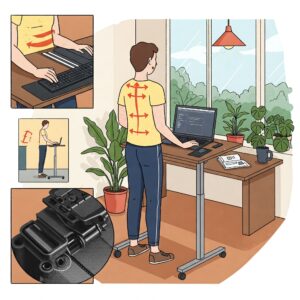
✅ Position your screen at eye level, about an arm’s length away, to prevent neck strain
✅ Adjust desk height so your elbows form approximately 90-degree angles when typing
✅ Stand with weight evenly distributed, knees slightly bent, not locked
✅ Position frequently used items within easy reach to avoid stretching
✅ Consider an anti-fatigue mat underneath for additional comfort during extended standing periods
Transitioning Between Sitting and Standing
Experts recommend a gradual approach:
✅ Begin with 20-30 minutes of standing, then sit for a period
✅ Gradually increase standing time as your body adapts
✅ Aim for a 1:1 or 2:1 ratio of sitting to standing
✅ Change positions when you notice discomfort or approximately every 30-60 minutes
✅ Use natural transition points like phone calls or meetings to change positions
Maintenance Tips
Keep your rolling standing workstation in optimal condition:
✅ Periodically check and tighten any loose hardware
✅ Clean casters regularly to remove hair and debris that can impede rolling
✅ Lubricate moving parts according to manufacturer recommendations
✅ Inspect and clean work surfaces with appropriate cleaners for the material
✅ Test height adjustment mechanisms regularly to ensure smooth operation
Customizing Your Mobile Workspace
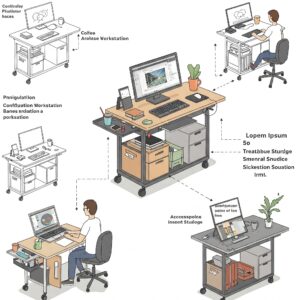
One significant advantage of a rolling standing workstation is the ability to customize it for your specific needs:
Essential Accessories
Consider these additions to enhance functionality:
- Anti-Fatigue Mats: These cushioned mats reduce pressure on feet, knees, and back during extended standing periods. Look for beveled edges to prevent tripping and materials that won’t compress too much over time.
- Monitor Arms: Attachable monitor arms free up desk space and allow precise positioning of screens for optimal ergonomics. Ensure your workstation can support the additional weight.
- Cable Management Solutions: Prevent tangled or dangling cords with clips, sleeves, or trays designed specifically for mobile workstations.
- Lighting Attachments: Task lights that clip or mount to your workstation ensure proper illumination regardless of where you position your desk.
Storage Solutions
Maximize functionality with these storage options:
- Attachable Hooks: Great for headphones, bags, or cables.
- Under-desk Drawers: Some models accommodate slide-on drawers for supplies.
- Side Pockets: Fabric or mesh attachments can hold documents or smaller items.
- CPU Holders: If using a desktop computer, specialized holders keep the tower secure while rolling.
Power Management
Stay charged wherever you work:
- Portable Power Banks: High-capacity options can power laptops and accessories for hours.
- Cable Extensions: Quality retractable extensions prevent power limitations from restricting mobility.
- Surge Protectors: Protect equipment when plugging into various outlets throughout your space.
DIY vs. Commercial Rolling Standing Workstations
Some budget-conscious consumers consider DIY alternatives to commercial rolling standing workstations. Let’s compare the approaches:
DIY Options
Building your own mobile standing workstation can be rewarding but comes with limitations:
Potential Approaches:
- Converting utility carts with custom tops
- Adding wheels to existing standing desks
- Repurposing kitchen islands or bar carts
Advantages:
- Potentially lower cost for basic functionality
- Customization for very specific needs
- Creative satisfaction
Disadvantages:
- Limited height adjustment options
- Typically less stable than commercial options
- Time investment for design and construction
- Often heavier and less maneuverable
- Safety concerns with DIY construction
When to Choose Commercial Models
Commercial rolling standing workstations offer significant advantages:
- Engineered Stability: Professional design ensures safety for expensive equipment
- Precision Adjustment: Commercial mechanisms provide smooth, reliable height changes
- Warranty Protection: Most quality manufacturers offer 2-5 year coverage
- Time Savings: Assembly typically takes minutes versus hours for DIY projects
- Resale Value: Quality commercial models maintain value better than DIY solutions
For occasional or very light use, DIY might suffice. However, for daily work or when supporting valuable equipment, commercial options typically provide better value despite the higher initial investment.
Real-World Applications for Rolling Standing Workstations
The versatility of mobile standing workstations makes them valuable across numerous environments:
Home Office Scenarios
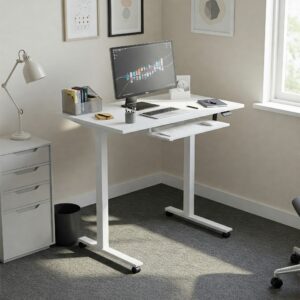
In residential settings, rolling stand up desks shine for:
- Multi-purpose rooms: Easily convert living spaces to work areas and back again
- Shared workspaces: Allow multiple family members to use the same desk in different locations
- Outdoor work: Roll onto patios or balconies on pleasant days
- Following natural light: Position near windows during daylight hours
- Parenting flexibility: Work while maintaining visibility of children in different rooms
Corporate Environment Applications
Businesses leverage rolling standing workstations for:
- Hot-desking arrangements: Support flexible office layouts
- Collaborative projects: Create impromptu meeting spaces
- Training sessions: Convert any area into a presentation space
- Ergonomic accommodations: Provide standing options without permanent furniture changes
- Hybrid work models: Create adaptable workspaces for employees with variable attendance
Educational Settings
Schools and universities utilize mobile workstations for:
- Teacher mobility: Move between student groups while maintaining work surface
- Technology centers: Create flexible computer stations
- Interactive presentations: Combine teaching and technology in any classroom
- Testing accommodations: Provide ergonomic options for students with special needs
- Workshop environments: Support project-based learning with movable work surfaces
Healthcare Applications
Medical environments benefit from mobility features:
- Patient consultations: Bring technology to bedsides rather than vice versa
- Charting flexibility: Complete documentation near point of care
- Telehealth delivery: Create impromptu video consultation stations
- Staff ergonomics: Support the physical needs of healthcare workers during long shifts
- Equipment mobility: Transport necessary technology between treatment rooms
Recent Innovations in Rolling Standing Workstation Design
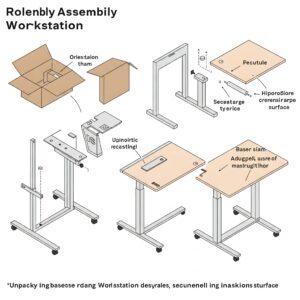
The mobile standing workstation market continues to evolve with exciting innovations:
Smart Features
Technology integration is transforming these workspaces:
- Position Memory: Some premium models now store preferred height settings for multiple users
- Usage Tracking: Built-in sensors can monitor standing/sitting time and suggest position changes
- App Integration: Companion applications provide posture guidance and usage statistics
- Voice Control: Emerging models offer hands-free height adjustment through voice commands
- Wireless Charging: Integrated charging pads eliminate some cable requirements
Sustainability Trends
Eco-conscious design is increasingly important:
- Recyclable Materials: Aluminum and certain plastics offer durability with lower environmental impact
- Solar Options: Some cutting-edge models incorporate solar panels to power adjustment mechanisms
- Carbon-Neutral Manufacturing: Leading brands now offset production emissions
- Refurbishment Programs: Take-back initiatives extend product lifecycles
- Biodegradable Components: Emerging designs incorporate sustainable materials for non-structural elements
Aesthetic Evolution
Visual design continues advancing:
- Minimalist Styles: Clean lines and hidden mechanics create sleeker profiles
- Biophilic Elements: Wood finishes and natural materials bring warmth to technical products
- Customization Options: More brands offer color choices and personalization features
- Architectural Integration: Designs that visually complement modern interior aesthetics
- Multipurpose Functionality: Workstations that double as room dividers or storage units
Product Recommendations
Based on extensive testing and research, here are my top recommendations for rolling standing workstations in different categories:
Best Overall: VIVO Mobile Height Adjustable Standing Desk
This outstanding rolling standing workstation offers the perfect balance of quality, features, and value. With its smooth pneumatic height adjustment system, spacious work surface, and exceptional stability, the VIVO Mobile Height Adjustable Standing Desk has earned its place as my top recommendation.
The robust steel frame supports up to 55 pounds of equipment while maintaining rock-solid stability even at maximum height. Four high-quality 3-inch casters (two locking) provide smooth mobility across various floor surfaces. Users particularly appreciate the thoughtful cable management system and the ease of assembly—typically completed in under 30 minutes without specialized tools.
Best Budget Option: SHW Height Adjustable Mobile Laptop Stand
For those seeking affordability without compromising essential functionality, the SHW Height Adjustable Mobile Laptop Stand delivers impressive value. This compact mobile standing workstation features a straightforward manual height adjustment system that locks securely at various positions between 28″ and 46″ tall.
Though designed primarily for laptop use, the work surface easily accommodates a standard laptop plus mouse and notepad. The steel frame construction provides good stability, while the four smooth-rolling casters make repositioning effortless. At roughly one-third the price of premium models, it’s an excellent entry point into the world of mobile ergonomics.
Best Premium Choice: Ergotron WorkFit-C Height Adjustable Workstation
Professionals who demand the very best should consider the Ergotron WorkFit-C Height Adjustable Workstation. This premium rolling stand up desk represents the pinnacle of ergonomic design and build quality, with patented Constant Force technology that allows effortless, one-touch height adjustment.
The exceptional stability, dual-surface design (separate keyboard and monitor platforms), and integrated cable management create a truly superior user experience. While the higher price point puts it in the premium category, those who spend extensive hours at their desk will appreciate the uncompromising quality and thoughtful ergonomic features that can significantly impact comfort and productivity.
Best Compact Solution: SIDUCAL Mobile Standing Desk
Small spaces demand smart solutions, and the SIDUCAL Mobile Standing Desk delivers impressive functionality with a minimal footprint. This cleverly designed rolling standing workstation measures just 23.6″ wide but includes separate platforms for display and keyboard to maintain proper ergonomics despite its compact size.
The C-shaped base slides partially under furniture, making it ideal for tight spaces or multi-purpose rooms. Despite its smaller dimensions, it offers smooth pneumatic height adjustment and supports up to 30 pounds of equipment. Thoughtful details like a cup holder and headphone hook add practical value to this space-saving solution.
✨ Transform Your Work Experience with the Perfect Mobile Workstation! 🚀
➡ Ready to experience the freedom and health benefits of a rolling standing workstation? The models featured above represent the best options on the market today, each excelling in different aspects. Whether you prioritize premium features, budget-friendliness, or space optimization, there’s a perfect mobile standing workstation waiting to transform your work routine.
Conclusion
The rolling standing workstation represents a perfect convergence of health consciousness and practical flexibility for modern work environments. These versatile pieces of equipment allow users to capture the well-documented benefits of standing while working—reduced back pain, increased energy, improved focus—while adding the invaluable advantage of mobility.
Whether you’re a remote worker maximizing a small apartment, a healthcare professional needing point-of-care access to technology, or an office manager creating more dynamic workspaces, the rolling stand up desk offers unique advantages that static furniture simply cannot match.
As we’ve explored throughout this guide, the market offers options at various price points and with different feature sets. The key to selecting the right mobile standing workstation lies in honestly assessing your specific needs, spatial constraints, and budget priorities. Remember that a quality workstation is an investment not just in productivity but in long-term health and comfort.
The evolution of these products continues at a rapid pace, with manufacturers incorporating increasingly sophisticated technology, improved ergonomics, and more sustainable materials. As awareness of workplace health issues grows, the rolling standing workstation is positioned to become an increasingly common element in thoughtfully designed work environments.
I encourage you to consider how the flexibility and ergonomic benefits of a rolling standing workstation might enhance your own work routine. The ability to change both position and location throughout your workday could be the key to renewed energy, creativity, and comfort.
More FAQs
❓ How much weight can a rolling standing workstation typically support?
✅ Most quality rolling standing workstations support between 25-100 pounds of equipment... Higher-end models generally offer greater capacity, with premium options supporting dual monitors, laptops, and accessories without stability issues...
❓ Are rolling standing workstations suitable for carpeted floors?
✅ Yes, but look for models with larger casters (3 inches or more)... Quality workstations feature specialized wheels designed to roll smoothly over carpeted surfaces, though deep pile carpeting may require heavier-duty casters for optimal mobility...
❓ What's the price difference between manual and pneumatic height adjustment?
✅ Manual adjustment models typically cost $80-150 less than pneumatic alternatives... While manual mechanisms are more affordable, pneumatic systems offer significantly better user experience with one-hand operation and precise positioning capabilities...
❓ Can I attach monitor arms to a rolling standing workstation?
✅ Yes, most quality rolling standing workstations support aftermarket monitor arms... Check the work surface thickness (typically needs to be 0.5-2 inches) and verify weight capacity before purchasing compatible clamp-on or grommet-style monitor arms...
❓ How stable are rolling standing workstations at maximum height?
✅ Quality matters significantly - premium models remain stable while budget options may wobble... Look for wide bases (22+ inches), quality locking casters, and reinforced frames if stability at full height is crucial for your work requirements...
Recommended for You:
- 10 Best Standing Desk Controller Options For Ultimate Workspace Control in 2025
- 7 Best 3 Monitor Standing Desk Options for Ultimate Productivity in 2025
- 10 Best Dual Monitor Standing Desk Solutions For Productivity Champions in 2025
Disclaimer: This article contains affiliate links. If you purchase products through these links, we may earn a small commission at no additional cost to you.
✨ Found this helpful? Share it with your friends! 💬🤗